Penetration Testing Methodology: Frameworks, Phases & Best Practices
October 2, 2026




Salesforce has become one of the most widely used CRM platforms, trusted by organizations across industries for its ability to support extensive customization, third-party integrations, and complex business workflows. From managing customer relationships to automating internal processes, Salesforce adapts to a wide range of business needs, making it a critical part of daily operations for many teams.
However, this flexibility comes with added complexity. Frequent Salesforce releases, Lightning components, custom Apex code, and dynamic UI elements make testing increasingly difficult, as even small changes can impact existing functionality in unpredictable ways.
This is where Salesforce automation testing becomes essential. By automating repetitive test scenarios, teams can improve test coverage, reduce manual effort, detect defects earlier in the development cycle, and maintain application quality across every release, ensuring Salesforce environments remain stable, reliable, and ready to support business growth.
Salesforce automation testing means using scripts and tools to rapidly and consistently validate that your Salesforce org, configurations, customizations, and integrations work the way they should instead of having someone click through the same workflows by hand every time. For enterprises and mid-sized technology-driven teams especially in regulated environments that need scalable QA, compliance, and reliable release quality, it’s how teams catch broken configurations, integrations, or customizations before they reach end users.
So what’s the difference between manual and automated testing here? Manual testing means a person sits down and walks through test cases step by step. It works, but it’s slow, repetitive, and easy to get wrong when you’re doing it release after release. Automated testing takes those same test cases and runs them through scripts or AI-driven tools, so they execute faster, more consistently, and across a much wider set of scenarios, leaving your QA team free to focus on the trickier, exploratory testing that actually needs a human eye.
That matters in Salesforce because the platform changes often, custom business logic grows quickly, and critical workflows can break across releases if testing doesn’t keep up. This guide looks at Salesforce automation testing fundamentals, where automation delivers the most value, the challenges unique to Salesforce environments, best practices for maintainable tests, CI/CD integration, and the tools teams use to support faster releases and high-quality user experiences.
Read how Financial Hub hires Kualitatem for Salesforce automation testing
Read Case StudyNot every part of Salesforce needs the same kind of attention, though. Here’s where automated testing typically matters most:
Since we’ve already covered how often Salesforce changes and why that makes things complex, let’s talk about why that translates into needing automation specifically.
Every one of those platform updates is a chance for something to quietly stop working. A workflow that ran fine last quarter can behave differently after a release, and unless you’re testing continuously, you won’t know until a user runs into it. That’s the core argument for automation: it lets you check your org’s health on an ongoing basis instead of treating testing as a one-time box to tick.
Regression testing is where this really shows up. Any time you ship a new Flow, tweak an Apex class, or update a Lightning component, you need confidence that you haven’t broken something else in the process. Doing that by hand every time isn’t realistic at scale, but an automated regression suite can run in the background and flag issues immediately.
This also ties directly into how modern teams ship software. If you’re working with CI/CD pipelines, automated tests fit naturally into that flow, letting you release more often without slowing down to manually verify everything each time.
A couple of quick examples: a team introducing a new approval process can run automated tests to make sure existing approvals still behave correctly. Another team migrating custom objects can catch data integrity issues automatically, before they surface as broken reports or missing records downstream.
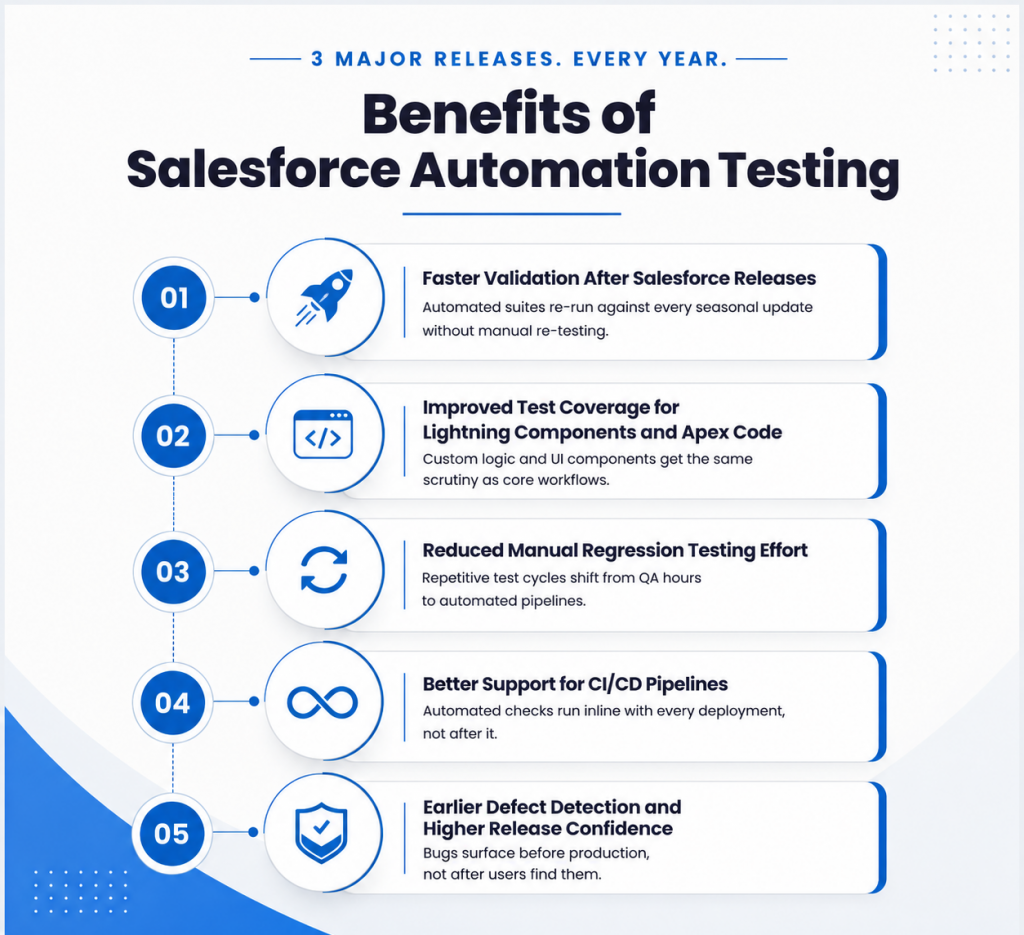
Salesforce rolls out three major platform updates every year, and each one touches existing configurations, workflows, and integrations across your org. Automation testing lets teams run through existing functionality quickly after every release, confirming that everything still works as expected without needing to manually click through every process by hand. This keeps release cycles predictable, even on Salesforce’s schedule rather than yours.
2. Improved Test Coverage for Lightning Components and Apex Code
Salesforce orgs are rarely simple. Custom Lightning components, Apex code, workflows, and validation rules all add layers of logic that need consistent verification. Automation testing extends coverage across these custom elements, giving teams visibility into how each piece behaves individually and how they work together as the org grows more complex over time.
3. Reduced Manual Regression Testing Effort
Every change to a Salesforce org carries the possibility of affecting something else downstream. Automated regression tests can be reused across releases, checking the same critical paths every time without rebuilding test cases from scratch. This frees up QA time for higher-value testing work and supports faster, more frequent release cycles.
4. Better Support for CI/CD Pipelines
Salesforce teams increasingly build and deploy through CI/CD pipelines, and automation testing fits naturally into that workflow. Automated tests can run at each stage of the pipeline, giving developers continuous feedback as changes move from sandbox to production. This keeps deployments moving quickly while maintaining visibility into how each change performs.
5. Earlier Defect Detection and Higher Release Confidence
Automated tests run early and often, surfacing issues while they’re still easy to trace and fix. This gives teams a clearer picture of application health before changes reach production, supporting consistent quality across every release, even as Salesforce updates continue at a steady pace.
Salesforce automation testing works best when it’s built around the platform’s specific architecture, from Apex and Lightning components to CI/CD integration. Kualitatem’s testing teams specialize in exactly that, helping organizations validate complex Salesforce environments with confidence at every release. Connect with Kualitatem to build a testing approach shaped around your Salesforce setup.
Several tools are available on the market to assist with Salesforce automation testing. These tools provide functions for managing test cases, automating tests, generating data, and reporting.
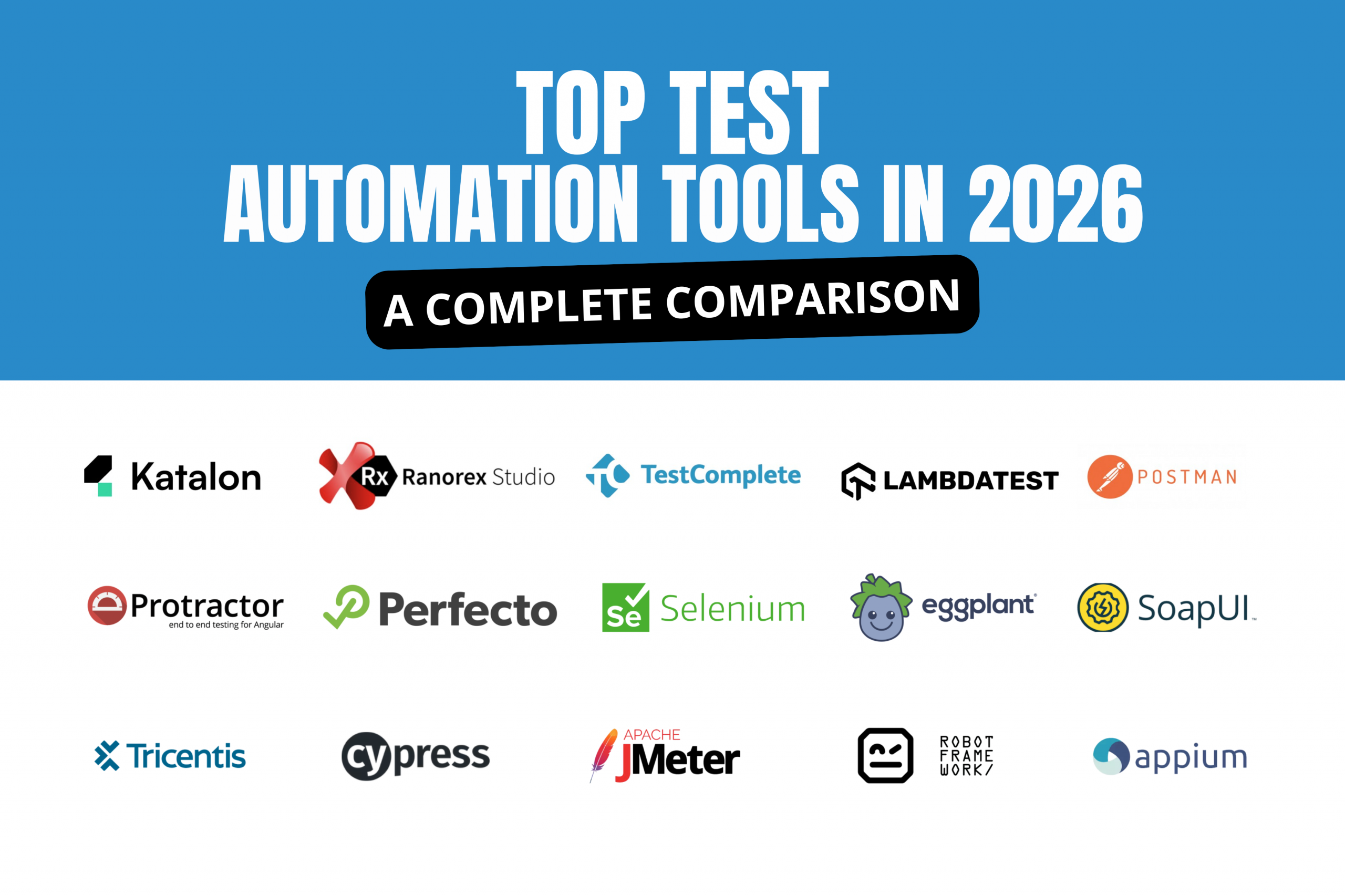
Salesforce.com’s own testing tools, such as Salesforce Lightning Testing Service (SLTS) and Salesforce DX (Developer Experience), Some other popular tools include:
Salesforce automation testing tools play a crucial role in ensuring the proper functioning and reliability of Salesforce automation systems across complex Salesforce environments and the broader Salesforce ecosystem. By thoroughly testing the system, organizations can enhance the user experience, improve sales efficiency, maintain data accuracy, and save time and resources. Tools range from Salesforce-specific options to general-purpose platforms: Provar is tailored specifically for Salesforce testing, and Gearset supports scriptless test creation for non-technical users. General-purpose choices also vary in approach: Selenium is an open-source framework for browser automation, Tricentis Tosca offers model-based test automation capabilities, Testim uses AI to enhance test creation and maintenance, and Mabl is a low-code test automation solution for web applications. Despite the challenges involved, following best practices and utilizing appropriate testing tools can help organizations overcome these hurdles and ensure a robust Salesforce automation system.
Ready to strengthen your Salesforce testing strategy? Kualitatem’s QA experts can help you build a scalable automation framework tailored to your org’s unique configurations and release cycles.
Speak to an ExpertSalesforce test automation comes with a set of headaches that are pretty specific to the platform itself, not just generic testing pain points. Here’s what tends to trip teams up.
Custom Salesforce Configurations
One of the best things about Salesforce, its flexibility, is also what makes testing it so tricky. Every org tends to have its own mix of custom objects, Apex code, workflows, validation rules, and Lightning components, built around that specific business’s needs. That means there’s rarely a one-size-fits-all automation framework you can just drop in. Teams usually end up building and rebuilding test coverage around configurations that are unique to their org, which makes reusability hard to come by.
Frequent Platform Updates
Add to that the fact that Salesforce ships three major updates a year, and you’ve got a moving target. UI changes, deprecated features, or subtle behavioral shifts can all sneak in with a release, and any of them can quietly break tests that worked fine the day before. That means ongoing maintenance is just part of the deal, not a one-time setup cost.
Shadow DOM Components
Lightning components lean heavily on Shadow DOM, which encapsulates elements in a way that traditional automation tools weren’t really built to handle. Standard locators often can’t see inside these shadow trees, so teams need specialized tooling or locator strategies just to interact with basic UI elements.
Dynamic Elements
Salesforce also generates a lot of dynamic IDs and shifting UI elements, which makes locators unstable. A test that passes today might fail tomorrow simply because an element’s ID changed, not because anything is actually broken. This is where flaky tests creep in, and it’s why robust locator strategies, and increasingly, self-healing capabilities, matter so much.
iFrames and Tabs
Salesforce apps also make heavy use of iFrames, console views, and multiple tabs. Automation tools have to switch context between these constantly, and that context-switching adds another layer of complexity to simply finding and interacting with the right element.
Maintaining Test Stability
Put all of this together, frequent releases, deep customization, shifting elements, and it’s easy to see why test suites get brittle over time. Modular test design, reusable components, regular test reviews, and AI-powered self-healing mechanisms all help keep maintenance manageable rather than letting it snowball.
Building a Salesforce automation framework that actually holds up over time takes more than just writing test scripts. Here’s what tends to make the difference.
Don’t wait until a feature is fully built to start testing it. Bringing testing into the earlier stages of development, alongside configuration and customization work, means issues get caught while they’re still cheap to fix, instead of after they’ve made their way into a release.
Not everything needs the same level of automation coverage. Focus first on the processes that matter most to the business, think approval workflows, order processing, or anything tied directly to revenue, since that’s where a failure would actually hurt.
Testing a component in isolation only tells you so much. Building test scenarios that mirror how real users move through your org, across Flows, Lightning components, and integrations together, gives you a much more accurate picture of whether things actually work.
It sounds small, but naming tests clearly makes a real difference once your suite grows. A test called “verify_opportunity_approval_flow” tells you a lot more at a glance than “test_47,” especially when something fails and you need to figure out why fast.
Given how many moving parts a Salesforce org has, building modular, reusable test components saves a lot of duplicated effort. It also means when something changes, you’re updating it in one place instead of hunting through dozens of scripts.
#6 Integrate Automated Tests into CI/CD Pipelines
Running tests automatically as part of your deployment pipeline means issues surface before they reach production, not after. It keeps releases moving quickly without sacrificing confidence in what’s shipping.
#7 Review and Update Tests After Every Salesforce Release
Given how often Salesforce updates its platform, it’s worth treating test review as part of your release checklist, not an afterthought. A quick pass after each release helps catch broken tests early, before they pile up.
Which is best for salesforce automated testing tools?
There’s no single best tool; it depends on your setup. Code-based frameworks like Selenium offer control, while AI-native tools handle Salesforce’s dynamic elements and Shadow DOM with less maintenance. 1. Provar 2. Testim 3. mabl 4. Tricentis Tosca 5. Copado 6. ACCELQ 7. Selenium 8. TestComplete 9. Katalon 10. Rapise 11. Worksoft Wrapping Up
Can Selenium be used for Salesforce testing?
Yes, but expect extra work. Salesforce’s dynamic IDs and Shadow DOM components mean more time spent on locators and upkeep compared to Salesforce-specific tools.
What are the biggest challenges in Salesforce test automation?
Custom configurations, frequent platform updates, Shadow DOM elements, dynamic locators, and navigating iFrames and multiple tabs top the list.
How often should Salesforce automated tests be updated?
At least after every major release, three times a year, plus whenever you roll out significant Flows, Apex changes, or Lightning components.

Head of Product Development — Kualitee Khalid is a Technical Product Manager with 11 years of experience bridging business strategy and technical execution to deliver user-focused SaaS solutions at scale. Led Kualitee’s test management platform to wider global adoption, driving feature adoption and improved client engagement Gold Award P@SHA ICT Awards 2022 | Silver Award — APICTA Awards 2022 Manages product roadmaps end-to-end from concept and development to customer success and on-premises deployment Full-stack development experience across multiple domains, turning complex technical challenges into scalable, intuitive solutions Passionate about travelling and discovering new opportunities to learn and grow Certifications: CSPO (Certified Scrum Product Owner) | ACSPO
Not sure where your QA stands?
Speak to an Expert





Our experts are all ready. Explain your business needs, and we’ll provide you with the best solutions. With them, you’ll have a success story of your own.
Contact us now and let us know how we can assist.