Payment Gateway Testing: Complete Guide, Test Cases & Checklist 2026 – Content gap
October 11, 2026



Over 71,000 tech jobs were cut in the first two months of 2026. QA and manual testing roles took a disproportionate share.
That creates one risk: test coverage drops. Releases get riskier.
“No-code test automation” is not only “making testing easier”. It is about keeping tests running when you have fewer engineers.
Here is the decision in front of you:
Does your test automation strategy need developers to write and maintain tests?
→ If yes, your coverage will fall when headcount falls.
→ If no, you can shift test creation to product managers and business analysts. The people who already know the flows.
Teams that made this shift kept coverage stable. Teams adopting no‑code testing can expand coverage by enabling non‑technical roles (manual testers, PMs, BAs) to automate regressions and user flows that previously stayed manual.” (Kiteto, 2025)
This guide gives you what you need to make that call. What no-code test automation handles well, where it falls short, which tools are worth looking at, and how to figure out if it fits your team.
No-code test automation lets you create and run tests without writing code. You use a visual interface to record actions, and the tool builds the test for you.
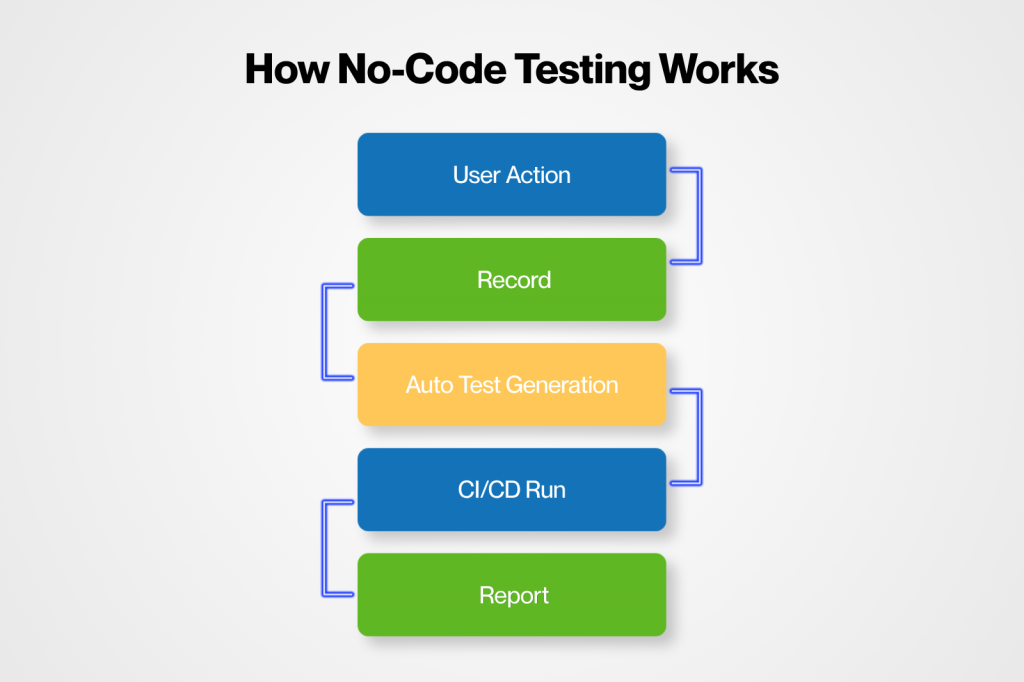
Your Developers and SDET are not the only ones who can use a No-code/Low-code Test automation framework, but your Project Managers, Dev, and IT teams can also work on it.
| Aspect | Traditional Automation | No-Code Automation |
| How tests are made | Written in code | Click, record, auto-generated |
| Maintenance | Manual updates needed | Tool handles most updates |
| Dependency | High on developers | Low or none |
You’ve been hearing “low-code” and “no-code” everywhere. Here’s the difference, straight up:
| No-code | Low-code |
| No coding needed | Minimal coding for edge cases |
| Built for PMs, BAs, and manual QA | Built for QA with scripting and developers |
| Best for standard flows and UI tests | Handles complex logic and integrations |
| Fast to start and scale | Slower to set up than no-code |
| Limited to what the tool supports | More flexible and customizable |
| Removes developer dependency | Still needs some developer support |
In 2026, manual testing is not dead, but still, most organizations run a 50–75% manual-to-automation mix, meaning a large share of regression is still executed by hand (Global App Testing, 2024). Under release pressure, teams skip steps, and coverage drops. That is when defects escape into production.
This is already reflected in outcomes. The World Quality Report 2024–25 shows that average automation maturity is still only around 44%, and many teams continue to rely heavily on manual regression despite investing in tools (Capgemini, 2024). The gap is not intended. It is execution capacity.
It’s no lie that coded automation improves repeatability, but it does not guarantee the removal of problems. Maintenance often matches or exceeds test creation effort in fast-changing products (Erik S. Jansson’s research, 2022). In practice, this turns automation into a constant engineering workload rather than being a scalable asset.
No-code automation shifts this constraint…..
It reduces dependency on engineering capacity for routine regression and increases the amount of coverage that can be created and maintained per release cycle (BrowserStack, 2024). The gain is not “ease of use.” The gain is throughput.
However, this only works when coverage is governed. Without structure, teams create duplicate or overlapping tests, increasing maintenance burden instead of reducing it (Bizagi, 2023). The World Quality Report also identifies weak test governance as a primary reason automation ROI fails to materialize (Capgemini, 2024).
Most QA systems still depend on engineering bandwidth for maintenance-heavy regression work, and that dependency does not scale with release speed or headcount pressure (Capgemini, 2024).
So the real question is simple:
Does your regression coverage depend on engineering capacity or can it survive without it?
This is not a yes-or-no decision. It is a trade-off based on your system and team.
Most enterprises, while adopting low-code/no-code automation testing practices, don’t choose one side.
Let’s go with a case studies:
Club Car, an enterprise vehicle manufacturer, used Robonito no-code automation to reduce manual regression across UI and system workflows.
They automated repeatable checks like login, configuration, and smoke tests using no-code, while keeping code-based tests for embedded systems and safety-critical logic (Parasoft, 2024).
The Outcome was amazing
Large SaaS enterprises use low-code/no-code platforms for UI regression and release validation, while engineers handle API and complex test logic in code (BrowserStack, 2024).
Outcome:
When you look at tools, demos always look smooth. The real value shows up in production.
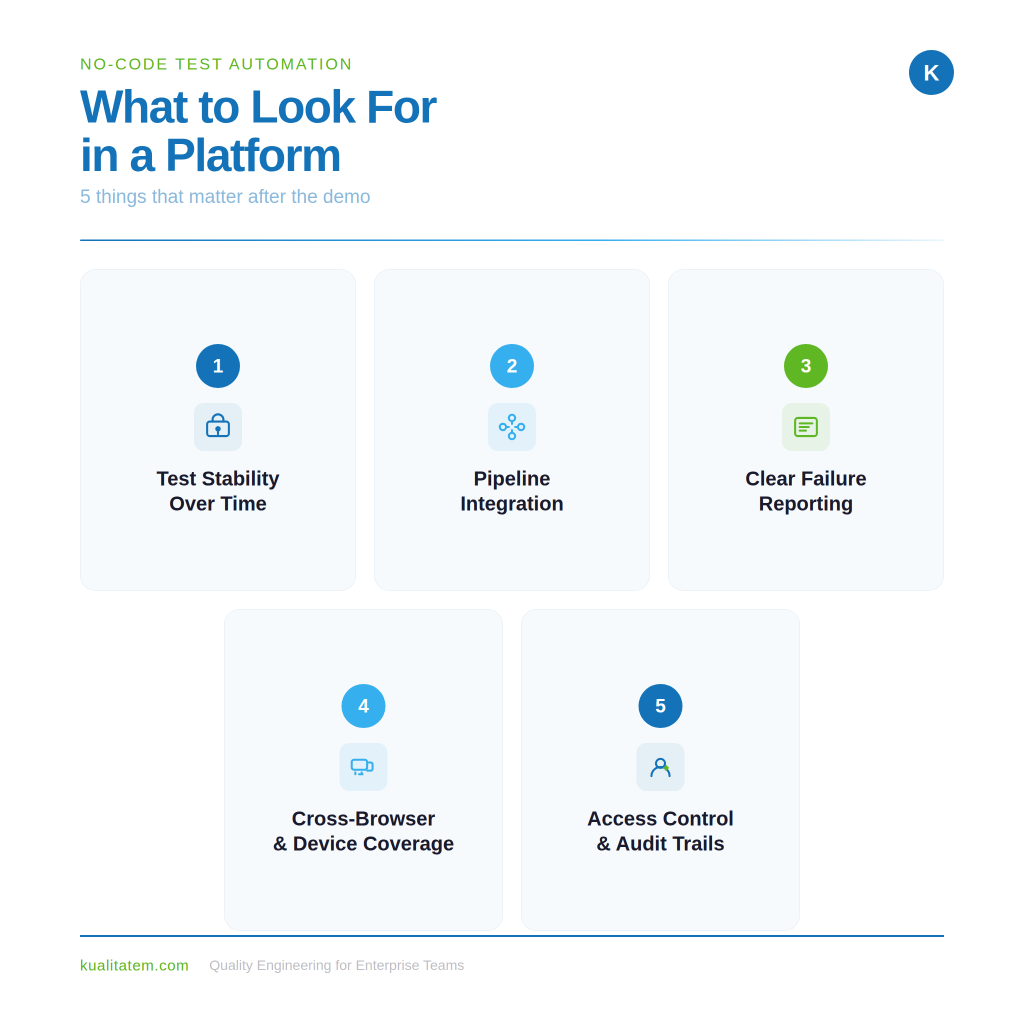
When your app changes, tests should not constantly break.
Good tools reduce breakage and adapt to small UI changes instead of forcing constant fixes.
The tool must plug into your pipeline (Jenkins, GitHub Actions, Azure DevOps).
If tests don’t run automatically with every build, it creates manual work again.
Non-technical teams should quickly understand:
Screenshots and replays matter more than just pass/fail status.
It should support web and mobile, not just desktop browsers.
Otherwise, you miss real user scenarios.
You need visibility into:
Without this, governance becomes a risk.
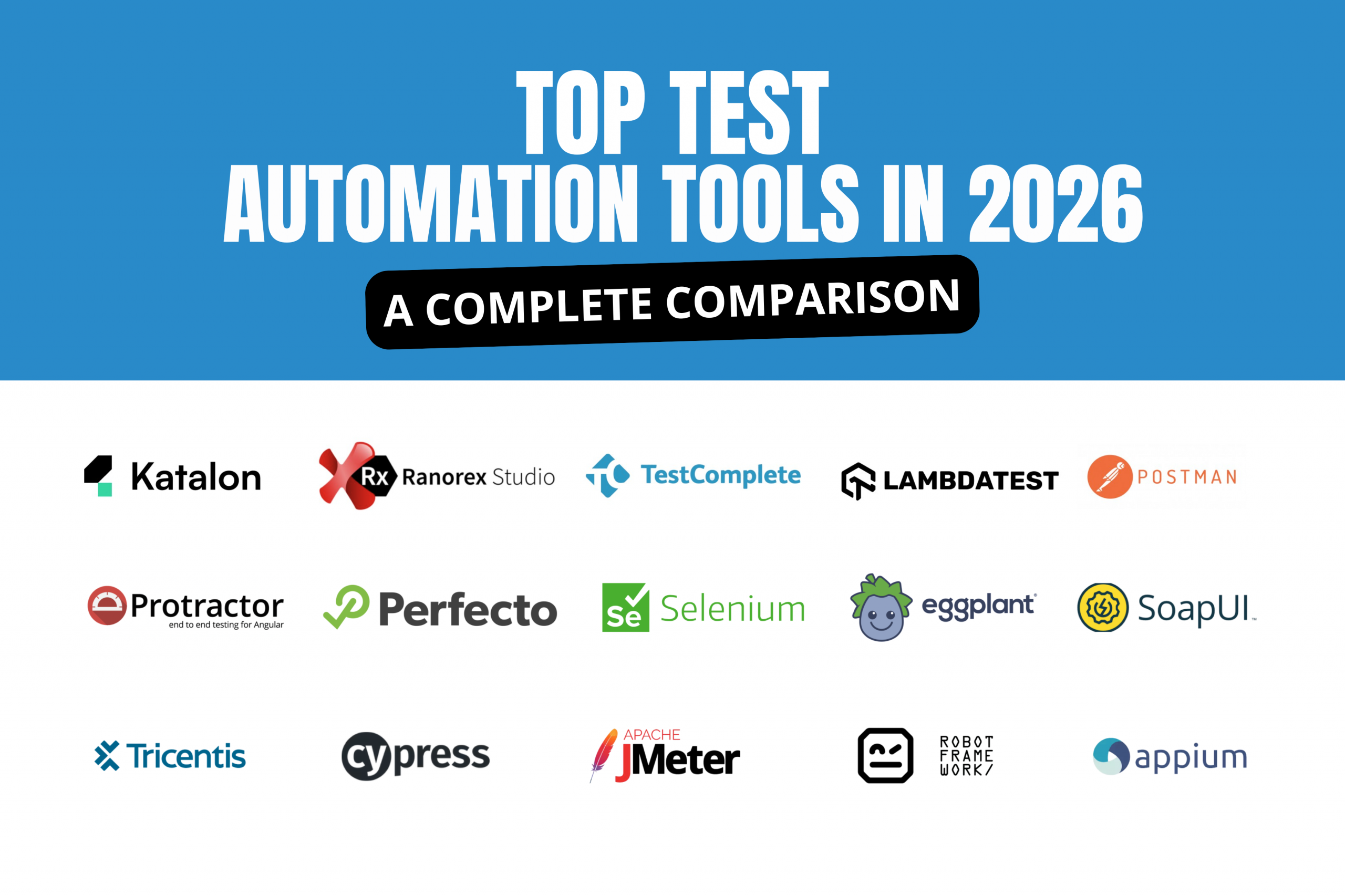
➕ Tools like Testim, Mabl, Leapwork, Katalon, Rainforest QA, and Kualitee all sit in this space.
>| Tool | Strength | Use case | Best for |
|---|---|---|---|
|
Testim
AI self-healing
|
AI self-healing, stable UI tests | Regression testing for web apps | SaaS teams needing stable, scalable UI automation |
|
Mabl
CI/CD native
|
Strong CI/CD integration, fast setup | Continuous testing on every build | Fast-moving teams with frequent releases |
|
Leapwork
Enterprise
|
Visual flow-based automation, enterprise-ready | Complex business process automation | Large enterprises and regulated industries |
|
Katalon
Hybrid
|
Hybrid — no-code + low-code flexibility | Web, API, and mobile testing | Teams transitioning from manual to automation |
|
Rainforest QA
Fast feedback
|
Fast feedback loops, simple setup | UI and user journey testing | Startups and product-led SaaS teams |
This is where most strategies look good on paper but break in execution.
No one wants ‘full automation’; they want fewer incidents. So teams start where the risk is obvious.
If developers own no-code tools, they rarely stick. It becomes “not worth their time.”
If QA or product teams own it, it becomes part of the release rhythm.
The pattern is simple:
. Mixing the ownership usually slows both.
For example, Shopify‑class systems first automate login, checkout, and payments—the highest‑volume, highest‑risk flows because that’s where most production incidents and revenue‑impacting bugs come from. Automating these flows first is not optimization it is cost and incident removal.
Most teams still think in “pre-release testing.”
The shift is different: tests run on every build, not at the end of the cycle. That changes the feedback loop from days to hours. And in most orgs, defect cost rises non-linearly the later it is found.
No-code is not meant to replace thinking. It is meant to remove repetition.
Trying to automate everything usually increases maintenance debt, not coverage.
Most teams treat automation as a project. It behaves more like infrastructure; it decays unless actively maintained.
So mature teams review coverage regularly, not to add more tests, but to remove noise and re-align with product risk.
No-code automation tools are not free. Enterprise platforms typically cost a few thousand to tens of thousands of dollars per year, depending on usage and scale.
But the real comparison is not tool cost. It is the current QA cost.
If a team spends 40 hours per week on manual regression in a two-week release cycle, that is about 1,000+ hours per year of repeat testing work (before counting escaped defects and rework).
If no-code automation removes even 50–70% of that effort, the payback is usually measured in months.
The bigger cost driver is not testing time. There are defects in production. Industry studies consistently show that fixing a production bug can cost 10–100x more than catching it earlier in QA (IBM Systems Sciences Institute, widely cited in software engineering literature).
No-code automation reduces this risk by running the same checks consistently every release.
In many enterprise cases (across fintech, SaaS, and enterprise software vendors), organizations report 2x–3x ROI after automating high‑volume regression suites and reducing manual execution load (Functionize, 2025).
Mostly, banks use automated regression for every release touching payments to reduce production incidents and audit risk.
They can use it to make frequent releases and shorten their deployment cycles. Because no-code tools run regression on every build (not just release time). Moreover, this helps shift from “testing before release” → “testing continuously.” As a result, you get faster feedback and smaller release risks.
In most reported cases, SaaS teams move from bi-weekly regression cycles to daily automated validation via CI/CD pipelines.
In healthcare, most software testing focuses on patient workflows and safety-critical systems. With no-code, you can handle functional UI validation (forms, navigation, workflows). Plus, oversee critical flows still requires expert validation and strict oversight
Most telehealth platforms automate appointment booking and UI flows, while clinical decision logic remains heavily controlled and tested separately.
Govt an PS have their core focus on compliance, documentation, and audit readiness
For example, public systems use automation to ensure every release has traceable test execution records for audits.
The ROI shows up when you convert repeat testing hours into stable, repeatable execution with lower production risk.
Before choosing any tool, answer these questions clearly. If you can’t, you are not ready to buy.
1. Who owns this long-term?
If the answer is “whoever has time,” it will fail. Test ownership must be assigned before tool selection.
2. What exactly are you automating first?
If you cannot name your top 5–10 critical regression flows, you are not ready for automation. Start there.
3. Does it fit how you ship software today?
If it does not plug into your CI/CD pipeline, it will become a manual step. And manual steps get skipped under pressure.
4. What happens when it fails incorrectly?
Visual and AI-driven tools can produce false positives or unstable results.
You need clarity on how the platform handles test reliability and error rates in real use.
5. What is the true 18-month cost?
Include:
Compare that directly against your current manual regression spend. If the return is not clear in 12–18 months, the scale is wrong.
The move from manual testing to automation is already happening everywhere. In 2026, the real question is not whether to automate. It is how fast you can do it without breaking your team. No-code test automation is the fastest way to get coverage if you do not yet have a full SDET setup. It helps teams start testing at scale without waiting for engineering capacity.
If done right with clear ownership, the right scope, and CI/CD integration — it reduces the gap between what you ship and what you can properly test.
If done wrong, a wrong tool, no ownership, no pipeline integration, it turns into an unused tool with ongoing cost.
Some teams use vendors like Kualitatem automation testing services to guide this decision across enterprise environments like banking, SaaS, healthcare, and government.
How does no-code test automation work?
It records what a user does in an app (clicks, inputs, navigation) and turns it into a test. The tool then replays it to check if the app works the same way.
What are the benefits of no-code test automation?
Is visual testing the same as no-code testing?
No. Visual testing checks how the UI looks. No-code testing checks how the app works. Most teams use both.
It can reduce most repeat testing work (around 50–70%). QA still needed for complex and new features.
Teams usually save time on manual testing and reduce production bugs. Many see ROI within 1–1.5 years if used on the right tests.
Can it meet compliance and audit needs?
Yes, if it has proper logs, history, and access control. This is important in banking, healthcare, and government systems.
Can coverage survive if QA headcount is reduced?
Yes for basic and repeat tests. But complex testing still needs skilled QA or SDETs.
Does it reduce dependency on SDETs?
Yes for simple UI testing. But SDETs are still needed for APIs, frameworks, and complex logic.
Does it integrate with CI/CD tools?
Yes. It should connect with Jenkins, GitHub Actions, or Azure DevOps. If not, it becomes manual work again.
What happens when tests fail incorrectly?
Sometimes tools give false results. Good platforms reduce this using AI and smart detection, but it is not perfect.
Can we switch away from no-code tools later?
Yes, but it depends on the tool. Some lock you in, so check export and API options before choosing.
Does it create data or security risks?
It can if data is not handled properly. Enterprises should ensure data stays secure and follows company rules.

Nabeesha is a Digital Content Executive at Kualitatem Inc. With a background in communication and extensive knowledge of QA and cybersecurity, she brings a business-first lens to technical content. Her work helps CTOs and engineering leaders cut through the noise and make confident decisions about software quality.
Not sure where your QA stands?
Speak to an Expert



Our experts are all ready. Explain your business needs, and we’ll provide you with the best solutions. With them, you’ll have a success story of your own.
Contact us now and let us know how we can assist.