Payment Gateway Testing: Complete Guide, Test Cases & Checklist 2026 – Content gap
October 11, 2026



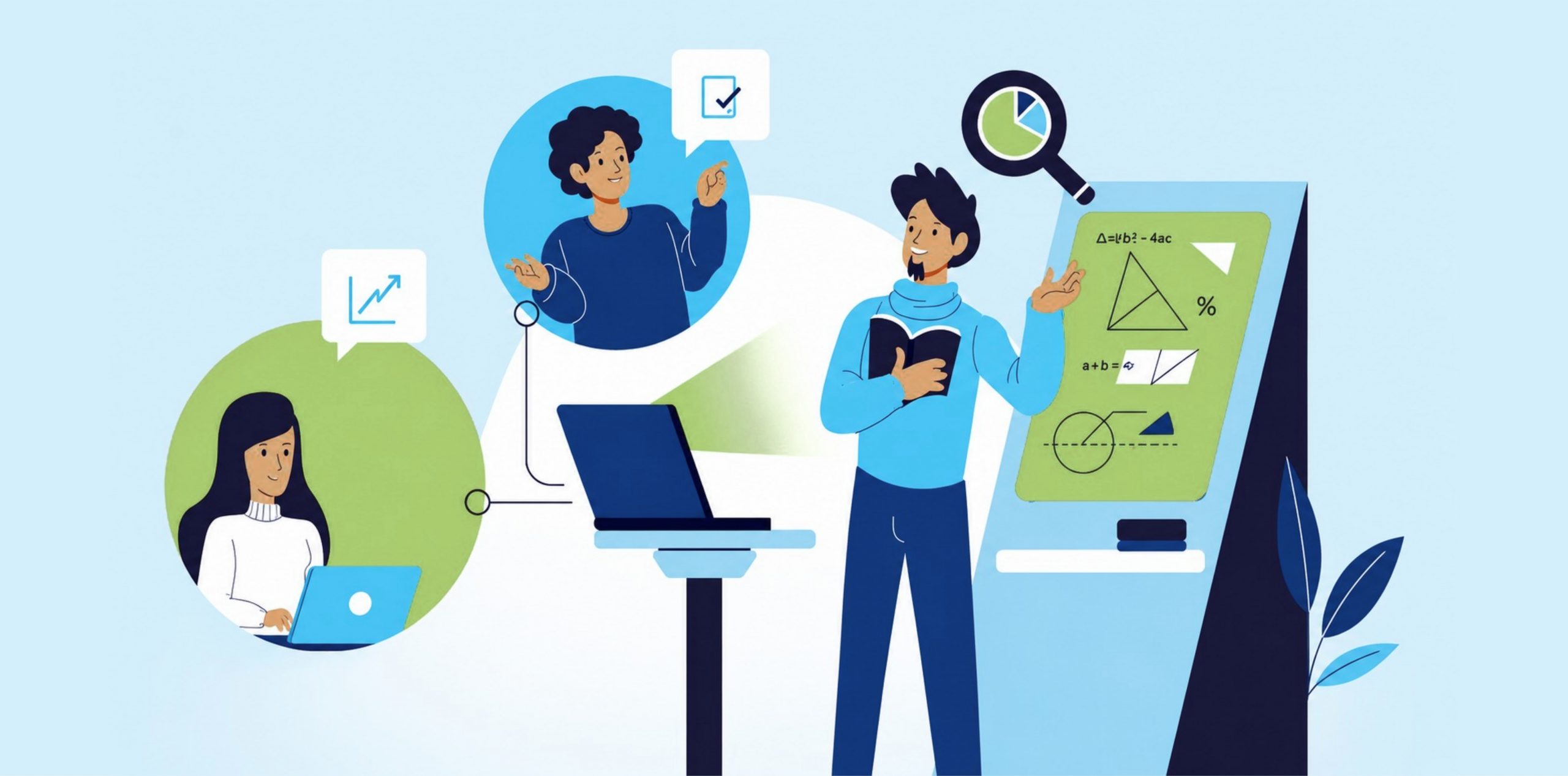
You have pretty strong opinions about what users want. However, the majority of these opinions are incorrect.
Using moderated usability testing, you can discover issues in code prior to implementation. Early testing of prototypes and wireframes with real users allows for concept validation at the lowest possible cost. During these tests, a moderator will facilitate the test, watch for problems and ask questions that will help uncover user needs.
The “think-aloud” method requires the user to verbalize their thinking as they perform a task. This helps uncover problems that would not be uncovered using analytics tools. This guide will provide you with a practical approach to setting goals, creating a moderator script, selecting appropriate test participants and conducting tests that will uncover actual user behavior.
The easiest way to think about moderated usability testing is that you sit a test participant in front of your product and watch them as they interact with it. However, rather than simply watching, you will also talk to the participant. You will ask questions, probe and try to understand what the user is thinking as they interact with the product.
A moderator is the person conducting the test. Their role is not to sell the product or justify design choices. Instead, their role is to remain silent during the test and ask relevant questions at appropriate times.
During a moderated usability test you first locate a participant that fits within your target user group. You then provide the user with a few realistic tasks to perform. For example, “book a hotel for three nights in Chicago” or “navigate to your account settings and change your password.” Once the tasks have been provided you let the user begin.
During this time the moderator watches the user as they complete the tasks. They notice when a user hesitates. They see when someone hovers over a button but doesn’t click. They hear the little sighs and muttered frustrations. And then they ask questions in real time.
“What made you click there?”
“What were you expecting to happen just now?”
“You seem stuck what’s going through your mind?”
This is called the think-aloud method. Users verbalize their thought process as they navigate. You get a front-row seat to their confusion, their assumptions, and their hidden workarounds. Analytics won’t show you any of this. Metrics tell you users dropped off. Moderated sessions tell you why they dropped off.
What do you actually learn from all this?
Whether your navigation labels make sense to normal humans
Where users get stuck in workflows you thought were obvious
What language users use to describe their goals, which is often completely different from your internal jargon
What features users expect to exist that don’t
How users mentally map your product’s structure
Unmoderated testing is the cheap cousin. You set up a task, send it to a bunch of users, and they complete it on their own time.You can scale to hundreds of responses, but you lose context. You can see what happened, but not why.
With moderated testing, you can get maybe five to eight participants per test, but each session is rich. You can probe and adapt during the session. You can follow interesting lines of conversation. You can discover behaviors that wouldn’t be captured in analytics or surveys.
For example, unmoderated testing can let you know how many users failed to complete checkout. Moderated testing can tell you why – specifically, why they were confused by your shipping address field. Both are valuable, because they answer different questions.
Let’s Make This Real
Let’s say you are testing a mobile banking product. During testing, you ask a user to perform the following task: “Transfer fifty dollars to your roommate.”
The user begins by opening the app. They then select the transfer option. They hesitate. Their thumb rests between the “Quick Transfer” and “New Payee” options. They then select the “New Payee” option, input their roommate’s information, and proceed with the transfer. The transfer is successful. However, it took the user forty-five seconds longer than necessary.
During the test, the moderator then follows up by asking, “What were you thinking at that point?”
The user responds, “Well, I was uncertain whether or not Quick Transfer was intended for people that you have already transferred to. I chose New Payee because it couldn’t possibly cause an issue.”
That is valuable insight. Your product team assumed that the “Quick Transfer” option was self-explanatory. However, some users may interpret it differently, or perceive it as risky. This could be resulting in lost time on task and trust in your product. This would not be detected via survey. Instead, you would see slightly longer transfer times and attribute it to network latency.
This is where moderated testing can provide value because it can highlight the difference between what you intended to communicate and what users actually interpret.
Analytics tells you 40% of users abandoned a flow. It can’t tell you why. That gap between what happened and why is where teams burn sprints fixing the wrong cause. Moderated usability testing closes it by putting a trained observer beside a real user, free to ask the one question a dashboard never can: what were you thinking right there?
Users don’t report the problems that matter most.
Nobody files a ticket that says “your navigation didn’t match how I think.” They just leave, or muddle through and quietly resent it. In a session, you see the hesitation and the wrong-turn friction users would never think to describe.
You learn the reason, not just the outcome.
A completed task looks like success in every dashboard. But a user who finishes checkout while re-reading the fee line twice, unsure the charge was final, is showing you tomorrow’s support tickets and chargebacks. Completion hid the problem; observation revealed it.
Behavioral signals surface what words hide.
Hesitation, backtracking, the pause before a button that’s data, and a moderator can follow it instantly: “You paused there what did you expect?” A survey sends everyone the same fixed questions; a moderator adapts to what just happened.
It validates decisions while they’re still cheap to reverse. This is the whole economic case. The relative cost of fixing a defect climbs sharply the later you catch it IBM Systems Sciences Institute research puts the multiplier at roughly 6.5x once you reach implementation and around 100x in production, and while that exact figure traces to older internal data and varies by system, the directional principle later is exponentially more expensive is backed by NIST and every team that has lived it. Watching five users struggle with a prototype costs a day. Finding the same flaw after launch costs a rebuild, plus support load, plus lost adoption. Total Shift Left
It replaces assumption with evidence. Most usability failures trace to a team building for how they think users behave. Moderated testing swaps internal assumption for observed reality the difference between a roadmap grounded in evidence and one grounded in the loudest opinion in the room.
Both formats use a moderator to guide the session and observe the participant. The difference is where everyone sits, and that changes what you can see, who you can reach, and what it costs.
The participant and moderator share a room, often a lab with a recording setup and sometimes stakeholders watching behind one-way glass. The big advantage is that you see the whole person, not just the screen. A furrowed brow, a hand hovering over a device, the sigh before someone gives up. Non-verbal signals like these are richer in the room than over video.
It suits physical products and hardware, security-sensitive environments where screen-sharing a live system is a problem, and situations where subtle body language carries real weight, like a stressful financial or medical decision. The limits are practical: it’s slower to organize, more expensive, and geographically narrow. You’re mostly testing with people who can travel to you, which can quietly skew your sample.
The session runs over video, with the participant sharing their screen from wherever they are. You keep the live interaction and follow-up questions, but drop the travel and the lab cost. It also lets you reach users across cities or countries, and test them in their real environment, on their own device and connection, which is often closer to how they’d actually use the product.
For most websites, apps, and SaaS products, remote is the sensible default. The trade-offs: you see less body language, and you’re exposed to the usual technical gremlins, dropped calls, screen-share that won’t start, audio lag. A short tech check before each session removes most of that pain.
Default to remote for digital products with distributed users, tight timelines, or limited budget. Choose in-person when you’re testing physical devices, when non-verbal signal is central to the research, when the flow is too sensitive to screen-share, or when you specifically need a controlled environment. In practice, most teams building web and mobile software run remote by default and reserve in-person for the few cases that truly need the room.
| Pros | Cons |
| Real-time interaction with the user | Resource intensive to run |
| In-depth qualitative insight | Requires a trained moderator |
| Follow-up questions on the spot | Risk of moderator bias |
| Observation of non-verbal behavior | Smaller participant groups |
| Freedom to explore unexpected behavior | Scheduling can be difficult |
| Detailed, contextual feedback | Each session takes real time |
The strongest advantage is the live follow-up. The moment a user does something surprising, you can ask why, and that single question often explains a problem the whole team had been guessing at for weeks. The observation of behavior over self-report matters just as much: people are unreliable narrators of their own actions, and watching them beats asking them.
On the cost side, the honest limitation is effort. Sessions take time to schedule, moderate, and analyze, and the sample is small enough that you’re finding patterns, not proving statistics. Moderator bias is the other real risk: a leading question or a rescued participant can quietly corrupt your findings. Both are manageable with a consistent script and a disciplined facilitator, which the best-practices section covers.
There are some questions that lend themselves very well to moderation. Here, the investment is well-rewarded.
Wireframe Testing in Early Design
At the earliest stages of design, prior to any production code, moderated testing on wireframes can help evaluate the core of the design. Are the interactions logical? Is the information presented in a comprehensible way? Does the information flow align with users’ expectations? Do the core interactions make sense? Finding an issue at this stage prevents prototyping a box when launched feature would be more appropriate.
Uncovering Early Qualitative Data
Early user testing can uncover the factors that influence all subsequent design decisions. What do users expect from a given interaction? What mental models do they hold? Where do they get confused? What do they like and why? Understanding the reasoning behind user interactions – not just the interactions themselves – enables informed design decisions.
Use Cases for Building Products to Stakeholders
Demonstrating a user in action is more effective than any presentation. A brief video of a user making a mistake transforms a qualitative statement regarding user needs into something that can be viewed by a stakeholder. This greatly facilitates consensus regarding what should be built and the reasons behind that decision.
Competitive Analysis with a Customer Orientation
By performing the same tasks using a competitor’s product you will directly discover the pain points experienced by users, the features that users expect that are currently lacking and the gaps that exist. This provides a clear picture of how you can compete, based on actual user usage rather than a list of features.
Validating Early Prototypes
Validating a prototype prior to development allows usability issues to be detected when they are relatively cheap to fix. This stage also allows for the least cost due to a change in direction and a study that can be conducted over two days can prevent the need for a rebuild over two months.
A moderator can walk the whole journey with a user, asking at each step: where would you go first, what would you expect to happen, what would you do next, what would make this easier. The answers expose where your intended path and the user’s instinct part ways, which is usually where the journey breaks.
A good session looks effortless and is anything but. It rests on planning, the right participants, well-built tasks, disciplined moderation, and honest analysis. Skip any one and the findings get shaky. Here’s the process.
Decide who you actually need in the chair: the demographics, experience level, product familiarity, and usage behavior that match your real users, plus any geographic factors that matter. This step is not a formality. Testing with the wrong people produces confident, clean data about users you don’t have, which is worse than no data because you’ll trust it. Screen against your actual customer profile before you book anyone.
A few questions before the tasks tell you who you’re watching: their background, their experience with similar products, their current habits and expectations, how familiar they are with your category. That context makes every later observation readable. The same hesitation means different things from a first-time user and a daily power user.
Build tasks around your research goals and frame them as realistic scenarios, not instructions. “Buy a gift for a friend under $50” works. “Click the red button, then checkout” tells you nothing, because you’ve handed them the answer. Keep the wording neutral, cover the journeys you actually care about, and record everything, both what they do and what they say. A couple of example tasks: open a new savings account and set up a first transfer; find the refund policy and start a return.
After the tasks, follow up on what you saw. What felt easy or hard, why they made a particular choice, what they expected at the point they got stuck, what frustrated them, what they’d change. This is where a fuzzy observation becomes a clear finding, because the user explains the thinking you could only guess at during the task.
Go back through the recordings and look for patterns, not one-offs. Group the issues, compare how different participants handled the same step, and separate the recurring problems from the individual quirks. One person struggling might be that person. Four people struggling at the same step is a design problem. Prioritize by how badly each issue hurts the user and how often it shows up.
A useful report is short and actionable. Lead with the key findings, then list the usability issues with a severity rating, back each with evidence (a clip, a quote, a screenshot), and turn every finding into a specific recommendation. The test of a good report is simple: can a designer or engineer read it and know exactly what to change. A deck full of observations that nobody actions is a wasted study.
Read more on creating a usability testing report
The moderator and the test design decide the quality of what you learn. These few habits separate a session that reshapes the roadmap from one that wastes a day.
Use the same core tasks, the same instructions, and the same standardized questions with every participant. Consistency is what lets you compare people fairly and trust that a pattern is real rather than an artifact of how you phrased things differently the third time around. Keep your follow-ups controlled so you’re not accidentally coaching some users and not others.
When a participant gets stuck, the instinct is to help. Don’t, at least not right away. The struggle is the data. Give them room to think and to work it out, and listen to how they narrate it. The moment you jump in, you’ve erased the exact problem you came to find. Silence feels awkward and is one of the most useful tools a moderator has.
Leading questions hand users your conclusion. “Was that confusing?” plants the word confusing. Ask open ones instead:
Can you walk me through what you’re thinking?
What would you expect to happen here?
What made you choose that option?
These invite the user to tell you what’s actually in their head, without steering the answer.
Write down what the participant did and said before you write down what you think it meant. “User clicked back twice, then said they couldn’t find the total” is evidence. “User was frustrated by poor navigation” is your interpretation dressed as fact. Keep the two apart so your findings rest on behavior, not on your read of it.
Run one dry session before the real ones. It shows you whether the tasks make sense, whether the timing works, and whether your recording and screen-share actually cooperate. Almost every avoidable disaster, a task nobody understands, a recording that didn’t save, gets caught in the pilot. Fixing it there costs one session. Fixing it after five wasted ones costs the study.
Abstract advice only goes so far. Here’s what these sessions actually surface across different product types, and the kind of insight you only get by watching.
Task: find a specific service on a company site. Before they click, the moderator asks where they’d go first. The user says “Solutions,” then heads to “Products,” gets lost, and backtracks. The insight: the site’s menu reflects the company’s org chart, not how customers describe what they want. Cheap to spot in a session, expensive to discover through a slow, unexplained decline in traffic.
Task: a new user registers and sets up their account. The moderator watches them try to invite a teammate before they’ve created anything to invite them to, hit a dead end, and double back. The insight: users think people-first, the product is built project-first. A survey would have recorded “onboarding was fine,” because the user got there eventually and never framed the detour as a problem.
Task: buy a product, from selection through payment and confirmation. The user completes it, so the funnel logs a win, but pauses on the confirmation screen and re-reads it twice. Asked why, they say the wording read like a price quote, not a final charge, and they weren’t sure they’d actually bought anything. The insight: a “successful” checkout that’s quietly generating support tickets and chargebacks. Completion is not the same as clarity.
Task: complete a core workflow inside the platform, like building and sharing a report. The user finds the build step easily but can’t find how to share, and eventually gives up and screenshots the screen instead. The insight: the sharing feature exists but is invisible where users look for it, which shows up later as “nobody uses collaboration” in the product metrics, for a reason the metrics can’t explain.
Task: complete a loan application or a KYC verification flow. The user hesitates on a field labeled “beneficial owner,” guesses, and gets it wrong. The insight: internal terminology that, in a regulated flow, isn’t just friction. It’s a data-integrity and compliance risk. In banking and fintech, a confusing label isn’t a cosmetic issue. It’s the kind of thing a CTO answers for. This is exactly where moderated observation earns its cost, because the user would never have reported the confusion, they’d have just submitted the wrong answer.
| Factor | Moderated | Unmoderated |
| Moderator involvement | Present and interacting | None; user is alone |
| Real-time interaction | Yes | No |
| Follow-up questions | Yes, adaptive | No, fixed prompts only |
| Participant scale | Small (5-8 per round) | Large (dozens to hundreds) |
| Depth of insight | High; explains the why | Lower; captures the what |
| Cost | Higher per session | Lower per participant |
| Speed | Slower to schedule and run | Fast; runs in parallel |
| Geographic flexibility | Good (remote) to limited (in-person) | Very high |
| Best for | Understanding reasons, complex flows | Validating at scale, quick checks |
Choose moderated when you need to understand why users behave the way they do, when the flow is complex or high-stakes, or when you’re early enough that a surprising reaction should change the design. Choose unmoderated when the question is narrow and you want volume: which of two layouts wins, whether a simple task is completable, how a change lands across a large sample. Many teams use both, unmoderated to find where the problems are, moderated to understand them.
| Method | Primary purpose | Type of data | Real-time interaction | Best for |
| Moderated usability testing | Watch users do tasks and ask why | Qualitative | Yes | Understanding behavior and reasons |
| Unmoderated usability testing | Watch task completion at scale | Mostly quantitative | No | Validating quickly with many users |
| Surveys | Collect self-reported opinions | Quantitative | No | Measuring attitudes at scale |
| User interviews | Explore needs and experiences | Qualitative | Yes | Discovery, motivations, context |
| A/B testing | Compare two live variants | Quantitative | No | Picking a winner on a live metric |
| Analytics | Measure real usage | Quantitative | No | Spotting where problems occur |
| Focus groups | Group discussion of a topic | Qualitative | Yes | Early reactions, group opinion |
The thing data-driven UX testing does that none of the others do: it gives you observed behavior and the reason behind it, in the same moment. Analytics and A/B testing tell you what’s happening without the why. Surveys and focus groups tell you what people say, which often isn’t what they do. Interviews get at reasons but not at behavior on a real task. When the question is “why can’t users get through this, and what do we change,” moderated testing is the usability method that answers it directly.
You don’t need a big stack. You need a way to talk, a way to see their screen, a way to record, and a way to make sense of it afterward. What matters is matching the tool to the job.
● Video and screen sharing: Zoom and Microsoft Teams cover the basics well, live conversation plus a shared screen, which is most of what a remote session needs.
● Purpose-built research platforms: Lookback, UserTesting, and UserZoom are built specifically for moderated research, with recording, participant management, and observer rooms in one place. Worth it once you’re running sessions regularly.
● Prototype and task testing: Maze is strong for testing prototypes and structured tasks, and pairs well with a moderated round to explain what the prototype data is showing.
● Recruitment: Panels inside platforms like UserTesting speed up finding participants, though for a specific ICP, like enterprise QA leads or banking users, targeted recruiting usually beats a general panel.
● Note-taking, transcription, and analysis: Automatic transcription turns hours of recordings into searchable text, and tagging tools help you group findings across sessions. This is where the analysis time actually goes, so it’s worth investing here.
Pick per job, not per brand. A team running its first study can get real value from a video call and a spreadsheet. A team running sessions every sprint benefits from a dedicated platform that keeps recruiting, recording, and analysis together.
None of these are dealbreakers. They’re known problems with known fixes.
● Moderator bias: leading questions or rescuing users skews results. Fix it with a consistent script and disciplined silence.
● Participant bias: people try to please or perform. Reassure them you’re testing the product, not them, and mean it.
● Recruiting the right people: wrong participants produce confident, useless data. Screen against your real profile before booking.
● Small samples: you’re finding patterns, not proving statistics. Run enough sessions to see repetition, usually five or more per user type.
● Scheduling: coordinating live sessions is a hassle. Batch them, and offer remote slots to widen availability.
● Time and cost: sessions are effort-heavy. Focus each study on a specific question so the effort is aimed.
● Technical problems: screen-share and audio fail at the worst moments. A short tech check before each remote session catches most of it.
● The observer effect: people behave differently when watched. Warm them up, keep it low-pressure, and let them settle before the real tasks.
● Inconsistent moderation: different handling across sessions muddies comparison. A script and, ideally, one moderator per study keeps it even.
● Analyzing a mountain of qualitative data: recordings pile up fast. Tag as you go and lean on transcription so analysis doesn’t become the bottleneck.
● Asking leading questions that plant your own conclusion.
● Jumping in to help the moment a user struggles, erasing the finding.
● Using artificial tasks that don’t match real user goals.
● Recruiting people who don’t represent your actual audience.
● Talking too much and filling the silence the user needed.
● Running each session differently, so nothing compares.
● Trusting what users say over what they actually did.
● Ignoring non-verbal signals like hesitation and frustration.
● Drawing conclusions from a single participant.
● Failing to document and prioritize findings by severity.
● Ending at insights, never turning them into product changes.
What is moderated usability testing?
A research method where a facilitator guides a participant through tasks on a product, observes how they perform, and asks follow-up questions in real time to understand why they behave as they do.
How is it different from unmoderated testing?
In moderated testing a facilitator is present and can ask questions as things happen. In unmoderated testing the participant works alone while a tool records them. Moderated goes deeper; unmoderated scales cheaper and faster.
What are the main benefits?
You learn the reasons behind behavior, not just whether a task was completed. You catch problems users would never report, you can probe surprises on the spot, and you validate decisions while they’re still cheap to change.
When should it be used?
Across the lifecycle: during discovery, on wireframes and prototypes, before a launch, during a redesign, and whenever analytics show a problem but not its cause. It works best as a repeated practice, not a one-time pre-launch check.
How does a session work?
You recruit representative users, ask a few background questions, have them complete realistic tasks while you observe, follow up on what you saw, then analyze the recordings for patterns and write up prioritized findings.
Remote or in-person?
Remote is the practical default for websites, apps, and SaaS, and it reaches distributed users cheaply. In-person suits physical products, security-sensitive flows, and research where body language is central.
How many participants do I need?
For qualitative discovery, around five per user type surfaces most of the significant issues in that group. Add more rounds or segments rather than piling many users into one session; the goal is patterns, not statistics.
What tools are used?
Video and screen sharing (Zoom, Teams), dedicated research platforms (Lookback, UserTesting, UserZoom), prototype testing (Maze), plus transcription and tagging tools for analysis. Match the tool to the job rather than buying everything.
How much does it cost?
It depends on recruiting, incentives, tooling, and moderator time. It costs more per participant than unmoderated testing, but far less than fixing a usability failure after launch, which is the comparison that matters.
Moderated usability testing is the method that answers why. You put a real user in front of a real task, watch what they do, and ask about the moments that matter. Analytics and automated checks can tell you a task got completed. Only direct observation tells you what the user was thinking, where their mental model diverged from your design, and what to change.
Match the format to the research: remote for reach and speed, in-person when body language or a sensitive flow demands the room. And the quality of what you learn comes down to the fundamentals: recruiting people who represent your users, building realistic tasks, moderating without leading, and analyzing honestly. Get those right and a short study can spare you a long, expensive rebuild.
At Kualitatem, we build quality engineering programs where usability validation is part of release readiness, not a scramble the week before launch. If usability is currently something your team checks at the end and hopes for the best, that’s the gap worth closing. Talk to us about building it into how you ship.

Nabeesha is a Digital Content Executive at Kualitatem Inc. With a background in communication and extensive knowledge of QA and cybersecurity, she brings a business-first lens to technical content. Her work helps CTOs and engineering leaders cut through the noise and make confident decisions about software quality.
Not sure where your QA stands?
Speak to an Expert
Our experts are all ready. Explain your business needs, and we’ll provide you with the best solutions. With them, you’ll have a success story of your own.
Contact us now and let us know how we can assist.