Release Management Best Practices 2026
October 9, 2026



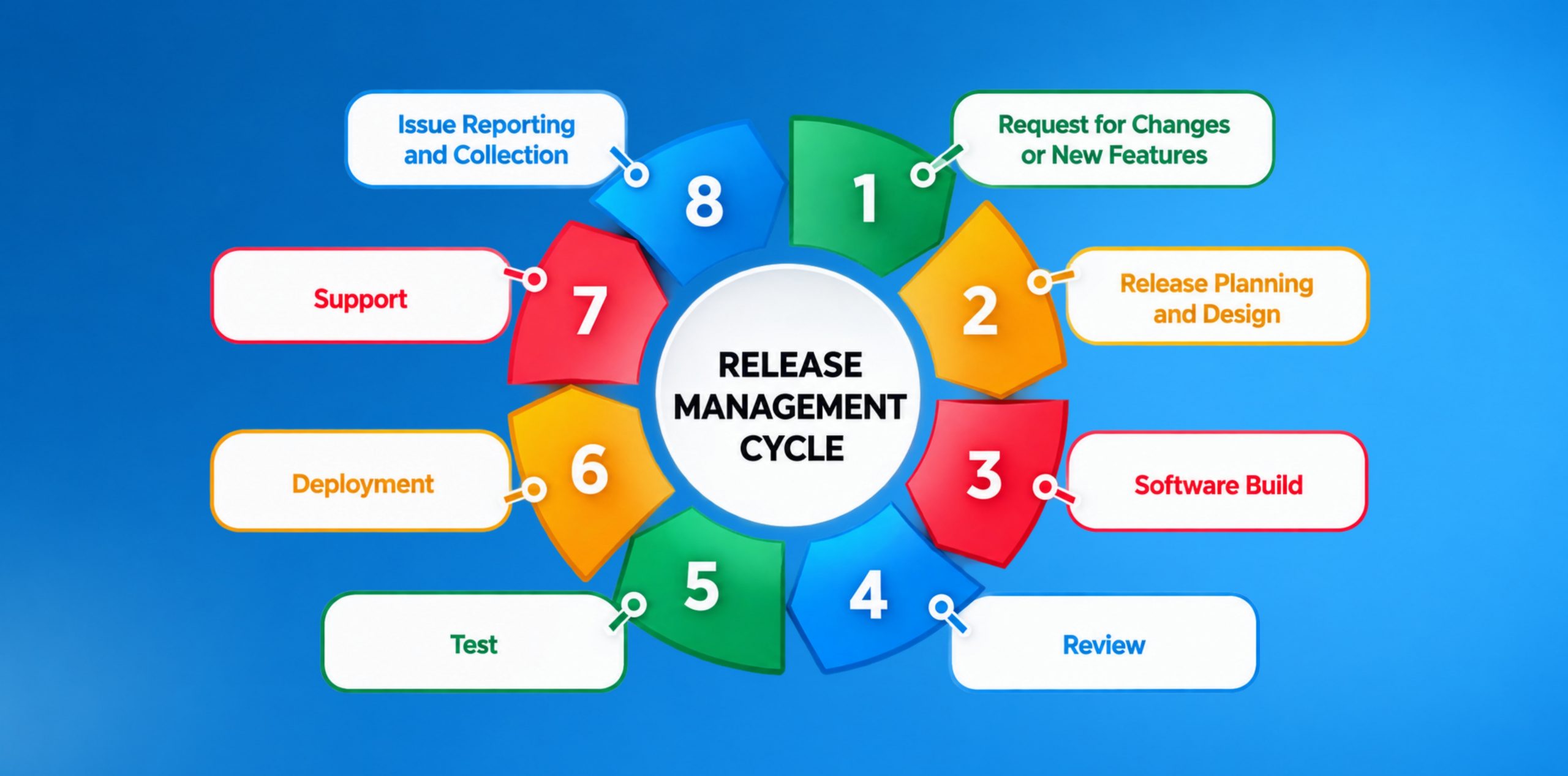
Software releases help move a product forward. But despite the proper working of the underlying code, the release can still introduce risk.
This is exactly why release management is crucial.
“Release management is a set of practices that are performed by the development team to schedule, coordinate, and control software releases across various environments. It ensures that the deployment is smoothly and reliably delivered to the end users.”
Modern software release management in 2026 combines structured planning and quality control with DevOps practices like:
The primary objective for any CTO is to release faster without compromising on quality, security, reliability, and the impact on customers.
As software delivery becomes faster and more automated, the margin for uncontrolled changes becomes smaller.
Release management does help the teams plan, test, approve, deploy, monitor and review software releases in a controlled manner.
These practices enable organizations to produce high-quality, secure, reliable, and customer-experience software that can be released and deployed quickly.
A simplistic release management lifecycle works as follows:
Plan → Build → Test → Approve → Deploy → Release → Monitor → Review
Before you begin the release management, it is crucial to understand that it will not begin when someone simply clicks “deploy.” It begins when your organization decides:
The planning stage is the initial yet most crucial, as it establishes the boundaries for the release. Your team should define:
The build stage turns your approved source changes into a deployable software output.
Your teams will need to manage:
Testing will help determine whether the release meets your functional, technical, security, performance, and business expectations.
The testing phase may cover:
This is your decision point between “tested” and “ready to move forward.”
To make your approval process mature and valid, you may use predefined quality gates instead of relying solely on judgments.
To ensure the quality you may require:
This approval will help you ensure that the production decisions are genuinely based on evidence.
Deployment would simply move your approved software into the target environment.
This may include:
Deployment and release are not the same thing.
A feature may be deployed to production, but it may still be unavailable to the customers to use.
This is your decision point between “tested” and “ready to move forward.”
To make your approval process mature and valid, you may use predefined quality gates instead of relying solely on judgments.
To ensure the quality you may require:
This approval will help you ensure that the production decisions are genuinely based on evidence.
Deployment would simply move your approved software into the target environment.
This may include:
Deployment and release are not the same thing.
A feature may be deployed to production, but it may still be unavailable to customers to use.
Release will make the newly added functionality available to users. You can decide the exposure to the user using:
This allows you to dictate when the release will reach your customers.
Eventual deployment doesn’t guarantee success.
You should actively monitor:
This will allow you to spot any abnormal behavior early on and before it becomes a big problem.
This final stage will close the feedback loop.
After the release, you and your team must review:
The best practices are the ones that give you control to be able to manage risk in a limited time while preserving delivery speed.
Teams should be clear about what belongs in the release before entering it into the release pipeline.
Make sure to define:
When the release includes engineering, QA, Product, Security, Operations, and Business stakeholders, a clear owner is critical for enterprise releases.
Not all releases require the same level of testing or approval.
A practical risk model can take into account:
| Risk factor | Questions to ask |
| Business impact | Will the change impact revenue or operations? |
| Technical complexity | Does it change the architecture or infrastructure? |
| Security risk | Does it impact authentication, authorization or sensitive data? |
| User impact | How many people would be impacted? |
| Infrastructure | Do servers, cloud services or networking change? |
| Database | Does the release change schemas or does the release move data? |
| Integration | Do any external APIs or systems get impacted? |
A quality gate is a condition that is set in advance that a release must adhere to before it is allowed to proceed.
Think of asking questions like
“Has the release been in line with the parameters we’ve agreed to?”
Typical gates should include:
This allows more objective and auditable release decisions.
Security should be built into the development and release life cycle and not added on at the end, when products are deployed into the field.
As more and more software products are released, the manual release process becomes harder to manage.
A CI/CD pipeline can do the following things automatically:
Shifting to automation also cuts down on individual expertise.
When only one engineer knows how to deploy a production release, then there’s an organizational process risk.
The end goal is not to automate all decisions. Human judgement is still important for high-risk changes. Instead, find ways to automate repetitive tasks and evidence gathering.
Kualitatem’s Test Automation Services can integrate testing into CI/CD pipelines, provide automated UI, API, functional, regression, performance, and security testing, and much more.
This is a crucial concept. Teams do not always have to deploy every change on an immediate basis.
Understand this first:
Not every deployed feature can be released to the consumers.
You can restrict the release to the consumers via:
You may want to introduce a new feature, let’s say a new payment feature.
Instead of immediately releasing new features to 100% of users, it is recommended to gradually release them to consumers.
The possible approach may look like:
At each step, the team identifies:
Before the release begins, make sure to define a thorough rollback strategy. Don’t wait for a production incident to make a decision.
The detailed release plan should clearly state:
A release is not successful right after the deployment.
To make your release successful, actively monitor:
Document the whole release with enough evidence that helps anyone reading understand the whole process.
Document:
This is crucial for organizations having more than one engineering team. This also helps to investigate the errors effectively.
Even after the deployment, the release still requires thorough reviews.
After release, evaluate:
This helps with improvements within the systems.
These terms are closely related but not substitutes.
| Concept | Meaning |
| Release Management | Coordinating and controlling software releases |
| Deployment | Moving code into an environment |
| Continuous Delivery | Keeping software ready for reliable deployment |
| Continuous Deployment | Automatically deploying changes to production |
| Feature Release | Making functionality available to users |
This is important as an organization can have a very automated deployment process without having a good release management process.
For instance, a team can have a Jenkins build that automatically pushes all changes to production, but they may not have:
Automation can fasten and strengthen the slow and weak process.
Metrics help you understand whether your release process is actually improving or not.
| Metrics | What it tells you |
| Release success rate | The consistency of the releases to production, without major problems |
| Deployment frequency | The frequency of change deployment |
| Lead time for changes | The number of days from a change to production. |
| Change failure rate | Frequency of change needing urgent remediation |
| Rollback rate | How frequently releases need to be reversed |
| Failed deployment recovery time | How fast teams can bounce back from a failed deployment |
| Production defect rate | The number of defects that go undetected in production |
| Release cycle time | The total amount of time it will take for the entire release procedure |
This is exactly why CTOs need to go beyond optimizing deployments.
The goal is:
Increased speed of delivery + reduced instability + quicker recovery.
Tools should support an established release management process rather than replace one.
| Category | Examples | What is Does |
| CI/CD | Jenkins, GitHub Actions, GitLab CI/CD | Construction, testing, and deployment automation. |
| Project/Release Management | Jira, monday.com | Planning, tracking, ownership |
| Feature Flags | GrowthBook, LaunchDarkly | Controlled feature exposure |
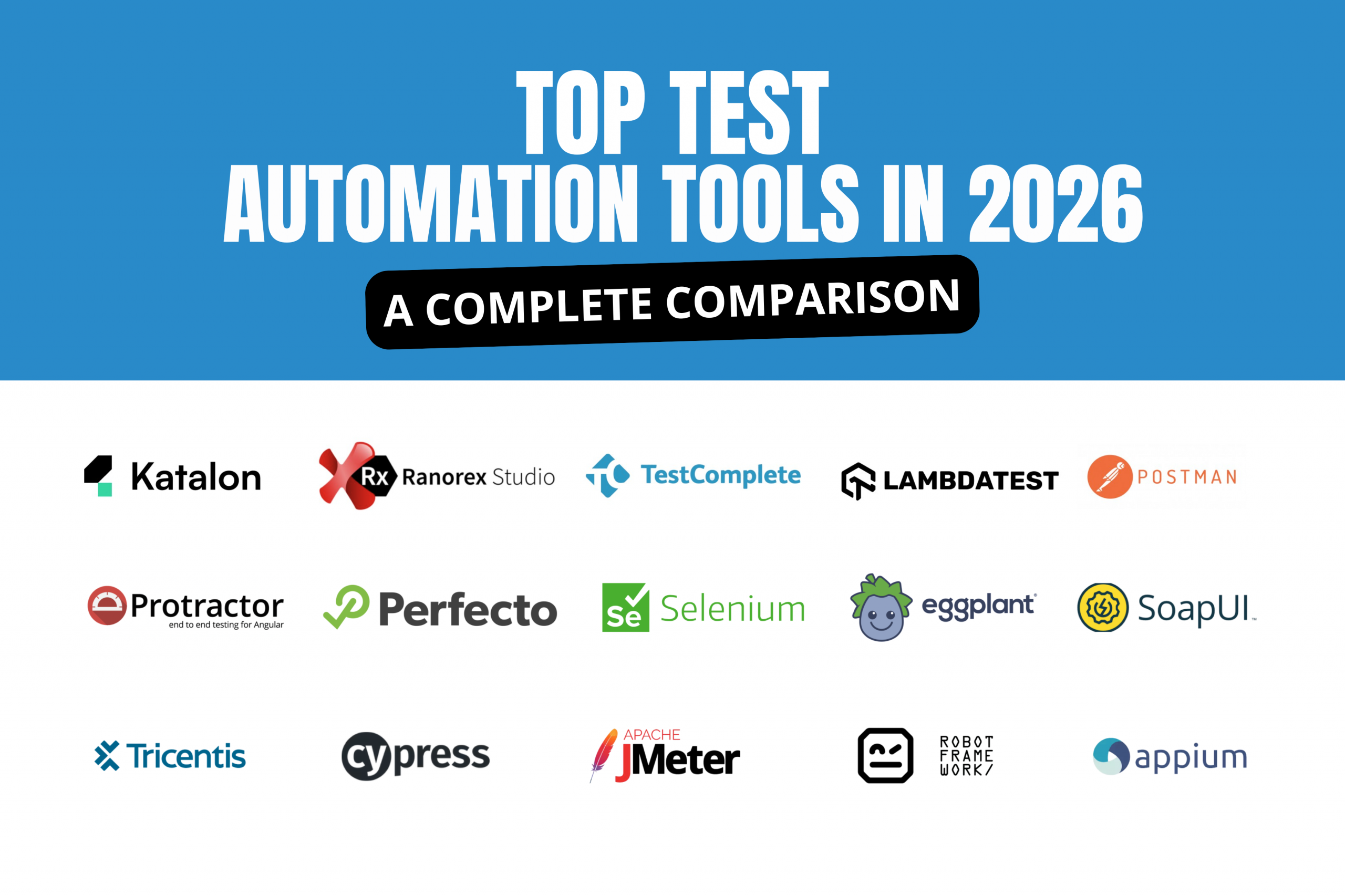
| Test Automation | Selenium, Cypress, Playwright | Automated validation |
| Monitoring | Datadog, New Relic, Grafana | Production visibility |
| Version Control | GitHub, GitLab, Bitbucket | Identify and manage sources of data. |
The ideal toolset just depends on:
A complicated Toolchain will not solve poor ownership or poor testing.
This checklist helps with a quick review for readiness for release.
Release management best practices are the processes that assist organizations with:
This may also cover:
The release management process is as follows:
Plan → Build → Test → Approve → Deploy → Release → Monitor → Review.
The actual process may differ across organizations, but it is always the same goal, capably deploy software changes into production using a controlled and measurable process.
Deployment: When software is moved to the environment.
Release: Makes the function available to users.
For instance, you might roll out a feature to production, but turn it off using a feature flag, while it goes through further validation.
Certain business and technical risks are caused by different changes.
Risk-based planning helps teams to assess the changes that may result in great consequences and run deeper testing to cope with those.
The following metrics must be considered by the CTOs:
Although release management is more comprehensive than software testing, testing is one of the most critical controls on the way to a production release from a completed change.
Kualitatem can assist the quality aspect of the process here.
Kualitatem isn’t a release-management software platform. Rather, it’s meant to be used as a tool to help engineering and product teams test software prior to production and set quality signals for their releases.
Support that can be provided during testing is:
Provide your team with more evidence that a release is ready, before customers are faced with defects themselves.
This can be a potential risk in release if velocity is still being increased manually, inconsistently, or without being integrated into your CI/CD pipeline.
Talk to Kualitatem’s QA experts about your release testing and quality requirements.

Not sure where your QA stands?
Speak to an Expert 

Our experts are all ready. Explain your business needs, and we’ll provide you with the best solutions. With them, you’ll have a success story of your own.
Contact us now and let us know how we can assist.