
Playwright MCP is Shifting to Playwright CLI
March 2, 2026



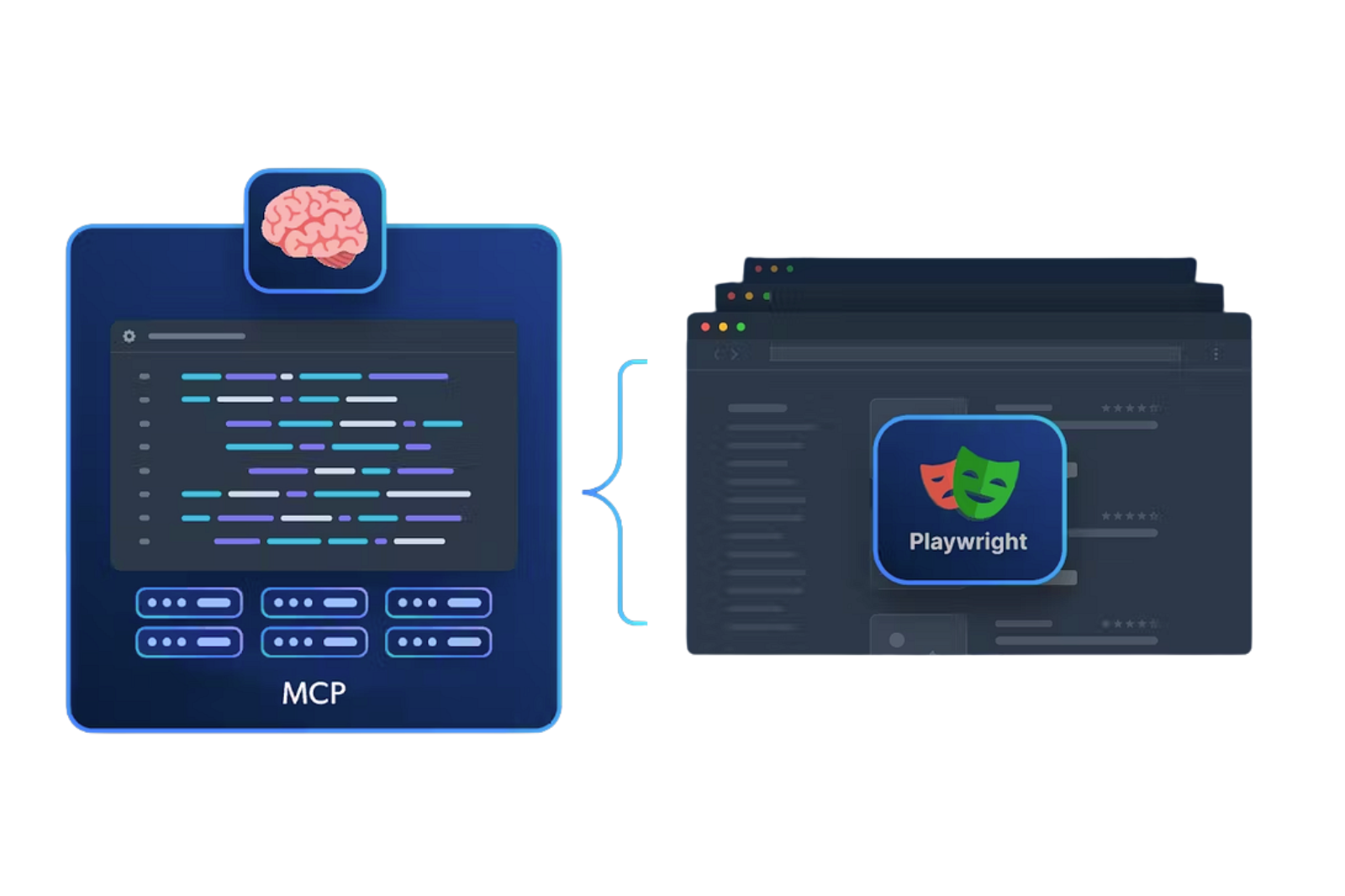
Based on Microsoft Playwright CLI GitHub Report March 2026
Summary of report
If your team is using or planning to use AI coding agents or multi-agent systems(Claude Code, GitHub Copilot, Cursor, or custom agents) for browser-based testing, Playwright CLI should replace or supplement your current MCP setup. The token savings alone justify it, especially at scale across large test suites.
⚠️ Important: Microsoft Playwright Testing Cloud Retiring March 8, 2026
The Azure-hosted Microsoft Playwright Testing service (the cloud execution platform, separate from the CLI) is being retired on March 8, 2026. If your team uses this service for parallelizing test runs, you must migrate to Azure App Testing before this date. This is separate from the new CLI tool discussed in this brief.
If your team is already using Playwright for end-to-end testing, you’re ahead of most. But if you’re also using AI coding agents, Claude Code, GitHub Copilot, and Cursor to help write or run those tests, you’re probably burning four times more tokens than you need to. Every single session.
That’s not a rounding error. That’s a structural cost problem that compounds with every test run, every sprint, every quarter.
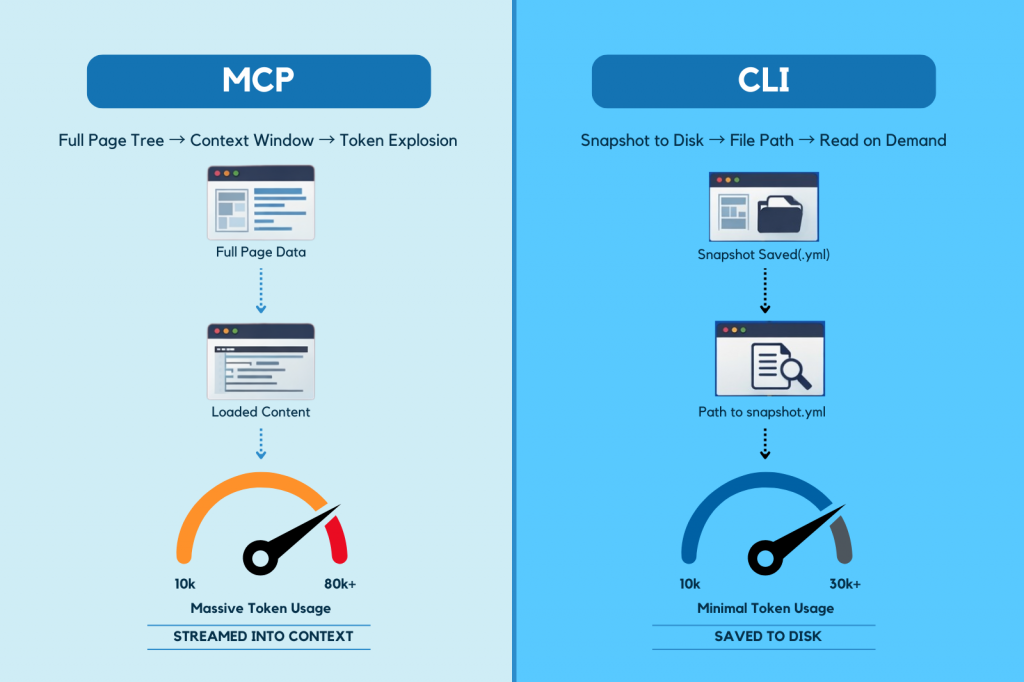
When an AI agent uses Playwright MCP (the current standard bridge between agents and browsers), it’s doing something deeply inefficient: it streams the entire browser state full accessibility trees, console logs, and screenshots directly into the model’s context window on every interaction.
Navigate to a page? 4,000 tokens enter context. Load a dashboard? 8,000 more. Interact with a form? Another 4,500. By step 15 of a test session, you’ve burned 60,000–80,000 tokens on stale page state the agent already left behind.
A typical MCP session runs ~114,000 tokens. The same task with Microsoft’s new Playwright CLI: 27,000 tokens.
That’s not a small optimization. That’s a 4× reduction, and the gap widens as sessions grow longer.
| MCP (Model Context Protocol) + Playwright | Playwright CLI (New approach) |
| Saves browser state snapshots to disk (YAML). Returns file paths instead of full page trees. The agent reads snapshots only when needed. Context stays flat3–4× token reduction in long sessions | Saves browser state snapshots to disk (YAML). Returns file paths instead of full page trees. The agent reads snapshots only when needed. Context stays flat3–4× token reduction in long sessions |
In early 2026, Microsoft released Playwright CLI (@playwright/cli), a standalone tool built specifically for AI coding agents. The architectural insight is simple but powerful, instead of streaming browser state into the model’s context, CLI saves it to disk as compact YAML files. The agent gets back a single file path. It reads the snapshot only when it actually needs to.
The result: context stays flat. Sessions that used to degrade after 15 browser interactions now run stable for 50+.
bash
# Old way (MCP): full page tree → context window → token explosion
# New way (CLI): snapshot saved to disk → agent gets a file path → reads on demand
playwright-cli open https://yourapp.com –headed
playwright-cli snapshot # → saves .yml to disk, returns one line
playwright-cli fill e8 “test” # compact element refs, no verbose CSS selectors
playwright-cli screenshot # → saves .png to disk, returns one line
If your team runs 500 browser automation sessions per day:
| Approach | Tokens/Session | Daily Token Cost |
| Playwright MCP | ~114,000 | ~57M tokens/day |
| Playwright CLI | ~27,000 | ~13.5M tokens/day |
| Savings | ~43.5M tokens/day |
At scale, this isn’t an engineering curiosity. It’s a line item on your infrastructure budget.
If your team is already on Playwright, this is an additive change, not a rip-and-replace. You keep npx playwright test for test execution. CLI is for the agent-driven exploration and generation layer.
Three commands to get started:
# bash
| npm install g @playwright/cli Playwright cli install –skills # installs agent knowledge files (SKILL.md) playwright-cli open https://localhost:3000 headed |
The skills step matters: it installs structured knowledge files into your agent’s context so it uses CLI commands correctly and doesn’t hallucinate syntax. Skip it, and your agent will waste tokens guessing.
CLI requires filesystem access. That means it works great with Claude Code, GitHub Copilot, and Cursor agents that can read and write to disk. It doesn’t work in sandboxed chat interfaces like Claude Desktop. For those environments, MCP is still your tool.
The decision tree is simple: agent has filesystem access → use CLI. Sandboxed environment → use MCP.
The teams that adopt an AI-native testing mindset are now designing QA infrastructure around how agents actually work, which won’t just save on token costs. They’ll be several months ahead when this becomes the industry standard.
The shift is here. The migration is easy. The savings are real.
If you are interested, read the Multi-Agent Testing Guide to Execute Testing on Open-source tools
v1.x and community benchmarks via morphllm.com/playwright-mcp.



Our experts are all ready. Explain your business needs, and we’ll provide you with the best solutions. With them, you’ll have a success story of your own.
Contact us now and let us know how we can assist.