
Simple 7 Reasons to Use Agile Testing for Fintech
March 19, 2026



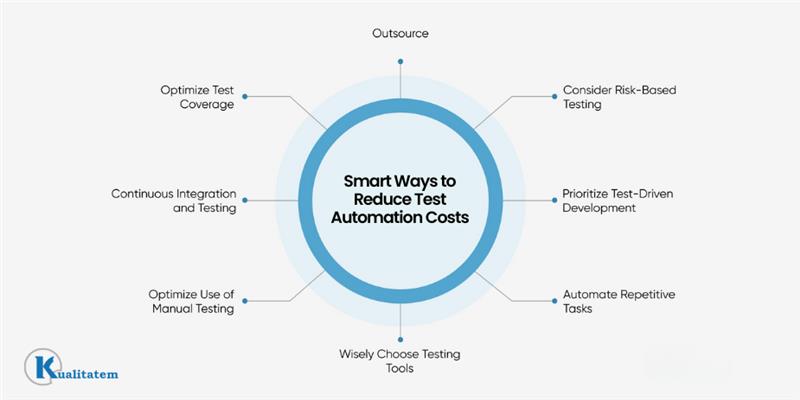
Test automation can get expensive, especially when you’re trying to scale. Many companies hesitate to invest because the infrastructure is unfamiliar territory. And once you start, costs can add up fast.
In most cases, for initial testing, automation companies invest 25-35% of their total software development budget. But this budget can be reduced by up to 20% with a few smart techniques. But cutting expenses often leads to lower quality. However, with the right strategy, you can save money without compromising on performance.
The greatest opportunities for cost savings in test automation are found during the initial deployment and setup phases. In this post, we’ll explore how to minimize expenses from the very start.
But first, let’s understand what these costs.
Most test automation services companies provide automation costs based on test cases or regression cases. So if you have n number of cases, then the costs are:
| Phase | 50 Test cases | 250 Tets cases | 1000 Test cases |
| Initial Setup | $25k | $60k | $150k |
| Year 1 Total | $100k | $250k | $400k |
| Ongoing Annual | $60k | $130k | $250k |
These costs come from industry reports such a IT Convergence (2026), testRigor TCO studies, and the World Quality Report. The World Quality Report highlights that maintenance can consume around 50% of test automation budgets. We used an estimated $50/hour rate for an automation engineer (Asia-adjusted) instead of the higher US rates $100+/hour to make the cost model more relevant.
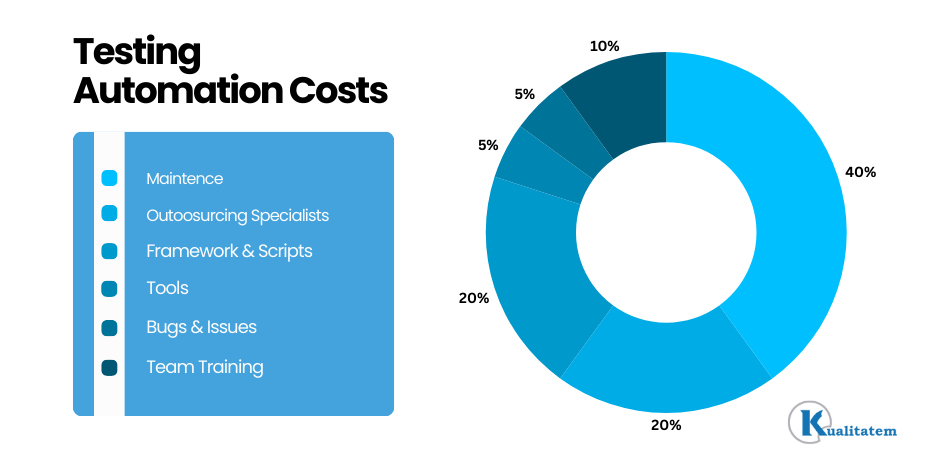
If you decide to implement test automation, the total cost is typically broken down into six main parts. While, ongoing maintenance dominates test automation costs, often consuming 40-70% of budgets due to script updates from UI/API changes, far outstripping initial setup
Now that we understand what drives the costs, let’s see why reducing these costs matters.
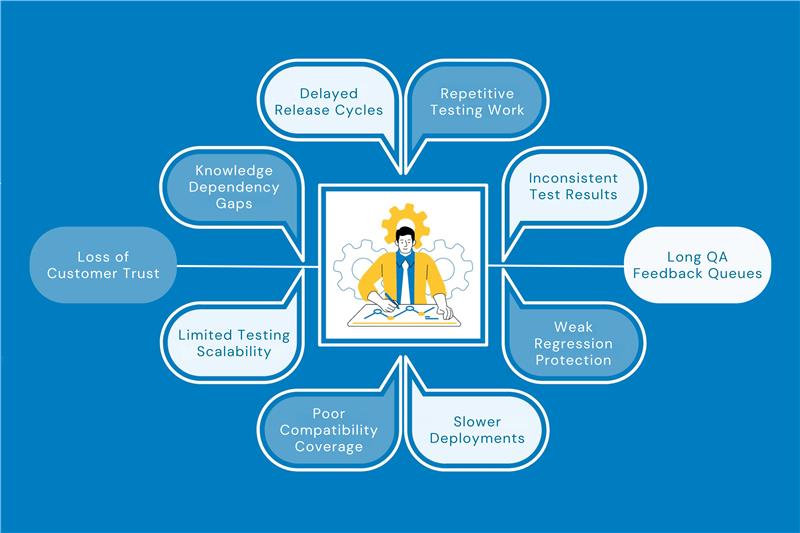
For startups and growing businesses, every dollar counts. High testing automation costs can slow down innovation, delay product launches, and limit competitiveness. Companies often face challenges like:
Instead of sacrificing quality, you should find ways to optimize spending while maintaining strong automation standards.
Before diving into automation, you should ask yourself and the team these key questions to fully understand the project scope and feasibility:
List out the scope of automation and areas you want to implement on
When setting up test automation, the best way to control cost is to automate only the areas that give the highest return. Focus on:
You can save up to 50% of automation cost by avoiding low-value scripts that break often and require constant fixing.
Simple Example
If your app has 100 test cases, Automate 30 stable regression + API tests → they run every release and rarely break
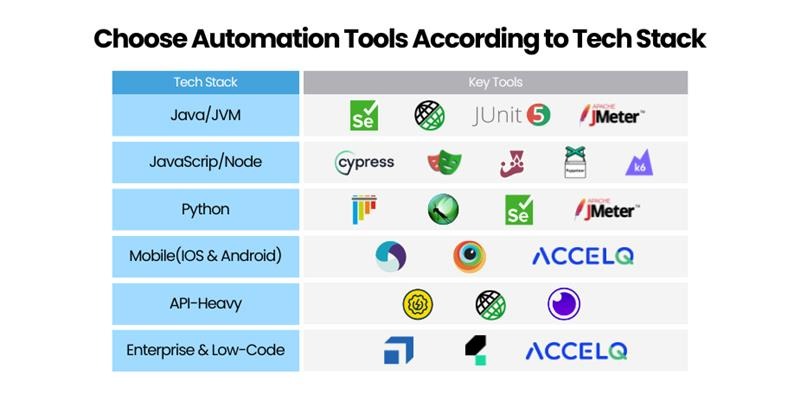
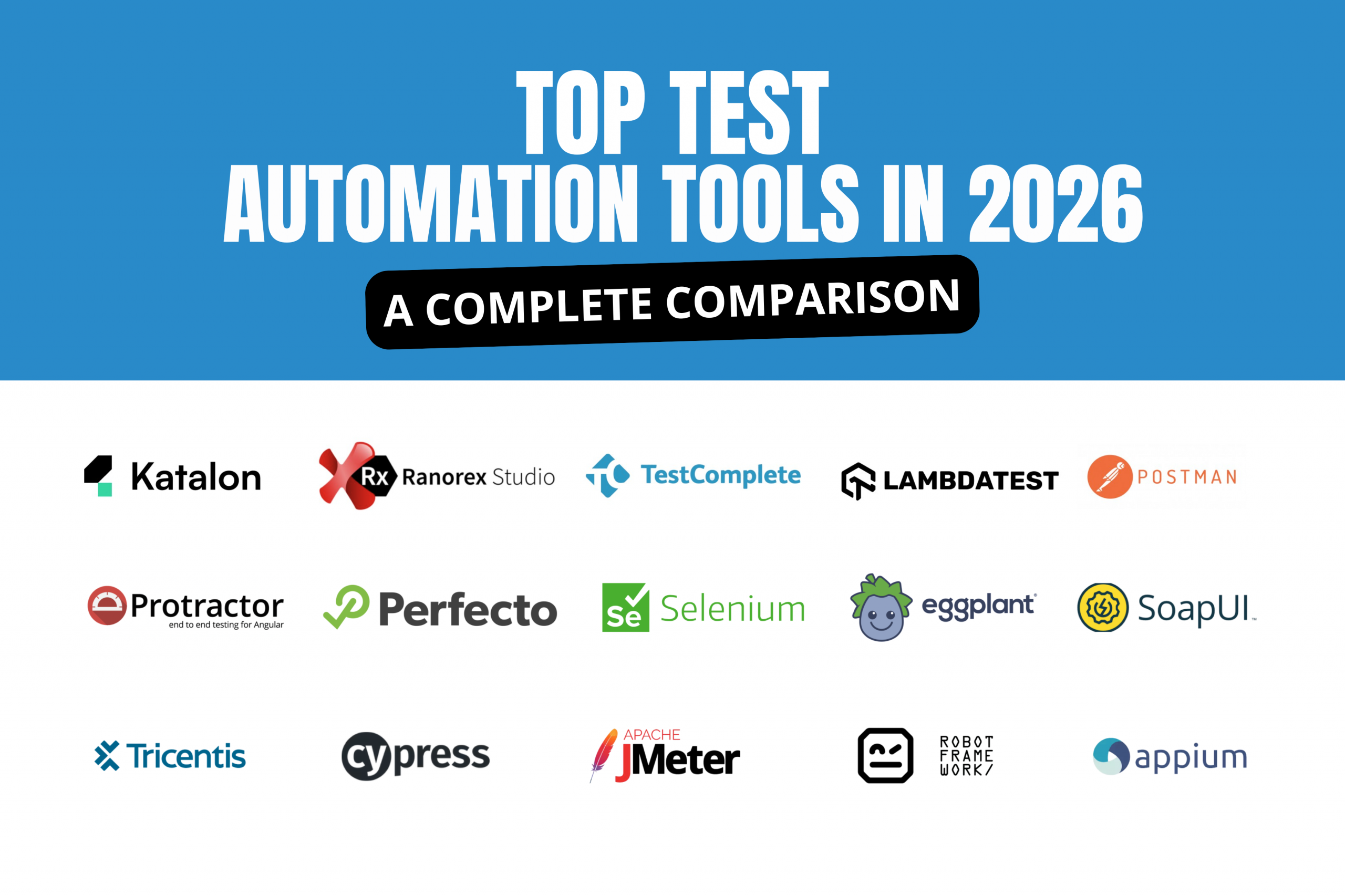
Match tools to your stack to cut learning/maintenance time, poor fits cause 30-40% rework waste. Here is the complete list of top automation testing tools for you to choose from, according to your tech stack
When setting up test automation, design your tests so they are easy to update and reuse. This keeps maintenance low and saves time as the application changes.
Avoid fragile scripts that:
Fragile scripts can increase upkeep costs by up to 60% because every small UI change forces multiple test fixes.
Instead of writing “login steps” in 50 different test scripts, the better approach is a Reusable Login Component.
This results in less maintenance, faster updates and more stable automation.
When setting up automation, connect your test suite with CI/CD pipelines (like Jenkins, GitHub Actions, GitLab, Azure DevOps) so tests run automatically on every build or deployment.
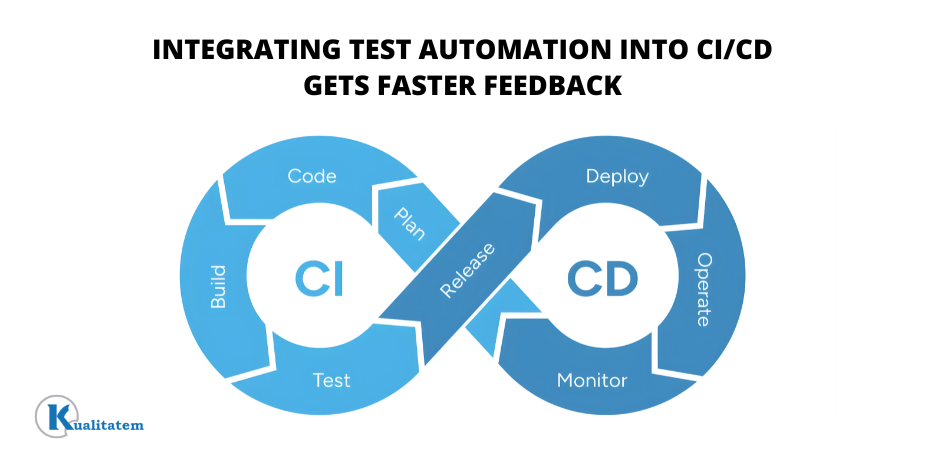
Bugs caught late (in staging or production) can cost up to 100x more to fix than bugs caught early. Parallel test execution can speed up test runs by 5–10x, saving time and improving release speed.
Flaky tests are one of the highest hidden costs in automation because teams waste hours fixing tests that fail for reasons unrelated to real bugs (UI locator changes, timing issues, dynamic elements).
Use AI-powered self-healing tools (like Mabl) that can:
Example:
A Login button changes from Login → Sign In.
Instead of buying and maintaining physical devices and machines, use cloud testing platforms like BrowserStack to run tests on demand.
Move to cloud device/browser farms to:
Cloud testing eliminates:
If you need to test on Chrome, Firefox, Safari + 10 mobile devices:
Prioritize Tests by Defect Risk and Critical User Paths (80/20 Rule). When setting up test automation, don’t try to automate everything at once. Instead, start with the tests that protect the most important business flows and have the highest risk of failure.
This follows the Pareto Principle (80/20 rule):
20% of tests can catch ~80% of the major issues
Focus on:
This way, you get maximum defect coverage with fewer tests. Less automation effort and less maintenance
When setting up test automation, outsourcing the initial setup to experienced specialists can help you start faster and reduce early mistakes.
Instead of building everything internally from scratch, you hire an automation partner to:
Specialists use proven frameworks and best practices, so fewer rework cycles. You avoid trial-and-error learning costs. 3–6 months ROI with specialists vs. 12+ months internally (common when teams are learning + building together)
When setting up test automation, the smartest cost-saving approach is to use automation for high-volume repetitive testing and keep manual testing for areas where human judgment is needed.
Automation should cover:
Manual testing is better for:
Automation reduces repetitive workload, while manual testing prevents wasted effort on scripts that are expensive to build and maintain.
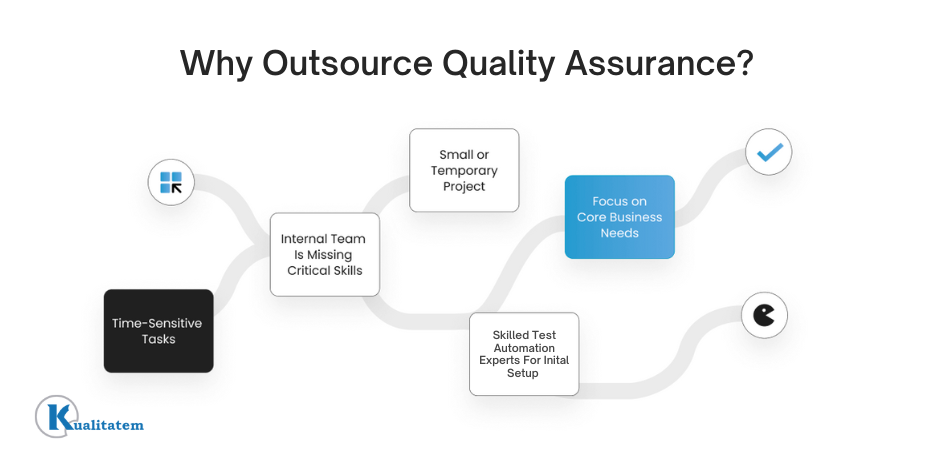
A practical approach is to use a hybrid team model with a QA partner like Kualitatem:
You get cost-efficient coverage, faster releases, and better product quality without over-automating the wrong areas.
Want to reduce test automation costs without compromising coverage or quality?
Kualitatem can help you build a scalable, cost-efficient automation strategy from selecting the right tools and frameworks to setting up CI/CD, stabilizing flaky tests, and balancing automation with smart manual testing.
Test automation can become expensive fast especially when scaling. Most companies spend 25–35% of their software development budget on automation in the early stages, but with the right approach, you can reduce costs by up to 20% without sacrificing quality.
The biggest savings come during initial setup, by focusing on high-ROI test cases, building maintainable frameworks, using CI/CD + parallel execution, adopting self-healing AI tools, shifting to cloud testing, prioritizing critical user flows, outsourcing setup for faster ROI, and keeping manual testing where human insight matters most.



Our experts are all ready. Explain your business needs, and we’ll provide you with the best solutions. With them, you’ll have a success story of your own.
Contact us now and let us know how we can assist.